Release Notes - 26.09.02 (September 26)Development delivered under sprints 26.09.01 and 26.09.02.
Key features: Bulk CV Parse via OneDrive, Automation Engine, Undo Invoice on Permanent Placement, plus session management and performance fixes. Sprint window: 27 August - 23 September 2026 Upgrade date: 04/10/26  Enhancements EnhancementsAutomation Engine
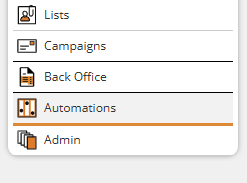
Colleague are pleased to announce the launch of our Automation Engine, designed to help recruitment teams automate repetitive processes, improve candidate and contact engagement, and keep pipelines moving with minimal manual intervention. Access to Automations is made available based on User Group Permissions. Within Admin > User Group Permissions, there is a new 'Automations' permissions folder, this includes turning on or off specified triggers and steps. There is also a Global Setting, which enables or disables Automations throughout the system (Section: 'Automation' > 'Enable the Automation Engine' - Yes/No). This will be turned on by default. Automations are accessed from the left hand navigation menu:
The configuration of an automation is broken down into 5 distinct stages:
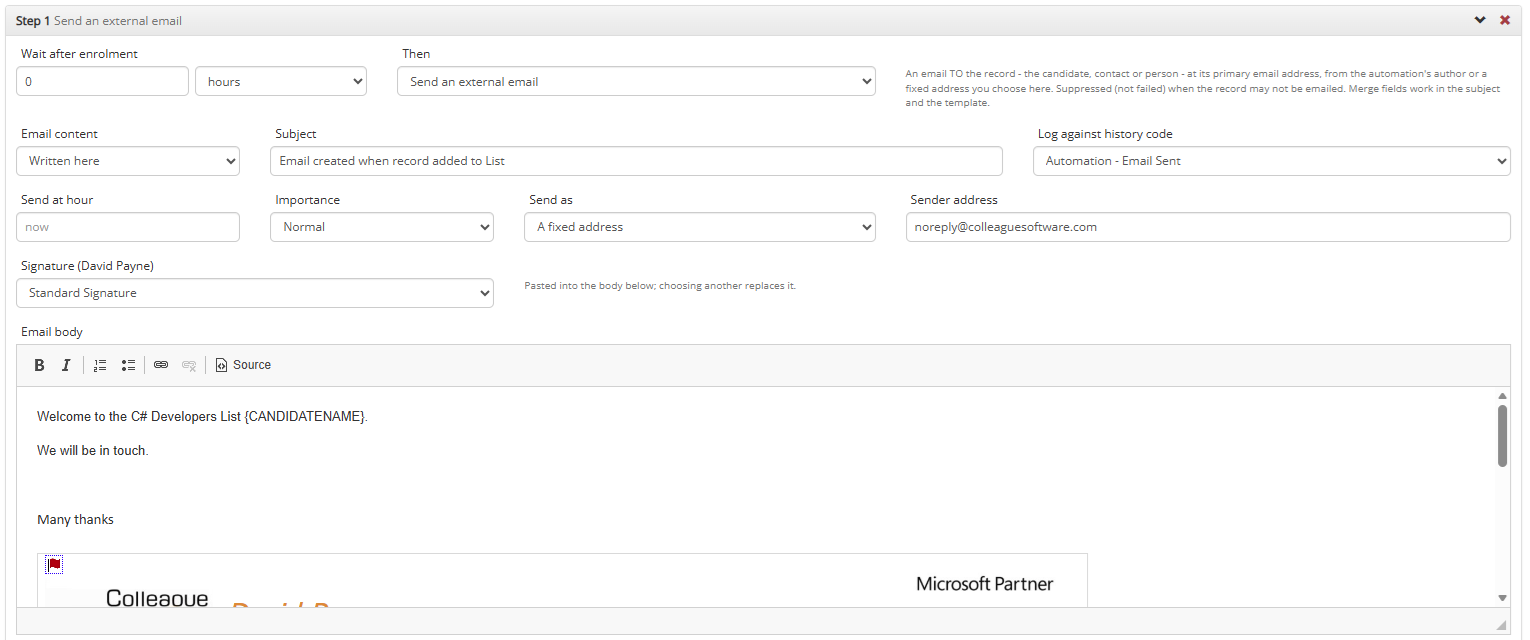
When you create a step, such as an external email, you will be given the options relevant to that workflow:
! Key Information: Default configuration upon release:
! Database Specification: Automations will utilise DTUs and marginally increase CPU levels on the server. High level usage of multiple automations could potentially mean a review of your database specification (depending on volumes and existing specification). ! Please Note: This is an extensive update which requires time to fully understand. Please take a moment to read our User Guide: Automation Maintenance User Guide. We have written the following article listing Automation Ideas.
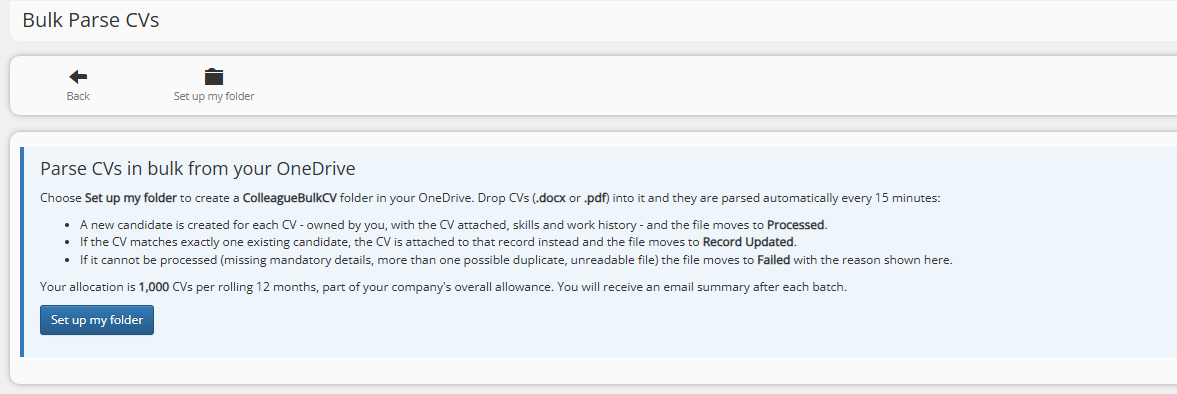
Bulk CV Parse via OneDrive folder
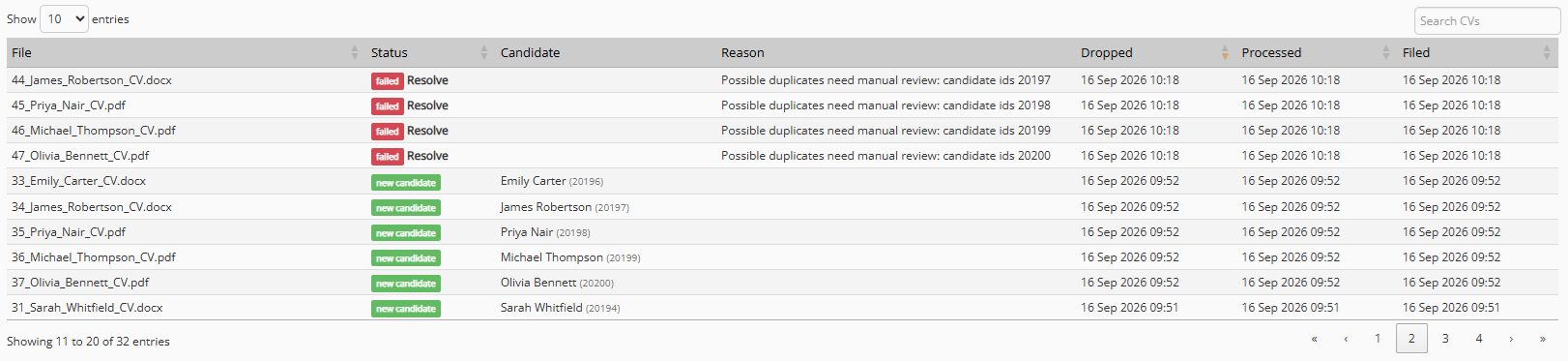
Colleague now supports the bulk parsing of Candidate CVs from a OneDrive folder. Bulk parsing is available to all users through a standard quota allowance based on the number of Licenced Users on your system (1,000 CVs per User, per annum).
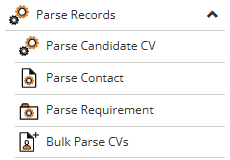
A User's allowance can be managed within the Admin area (Admin > Bulk CV Parse Quotas), including the option to disable this feature. Administrators can assign a greater allowance to a specific User and/or allow for a User to consume additional 'company' credits once their own allocation is used up. From The ‘Parse Records’ sub menu, select ‘Bulk Parse CVs’.
For more information, please read our: Bulk CV Parse User Guide
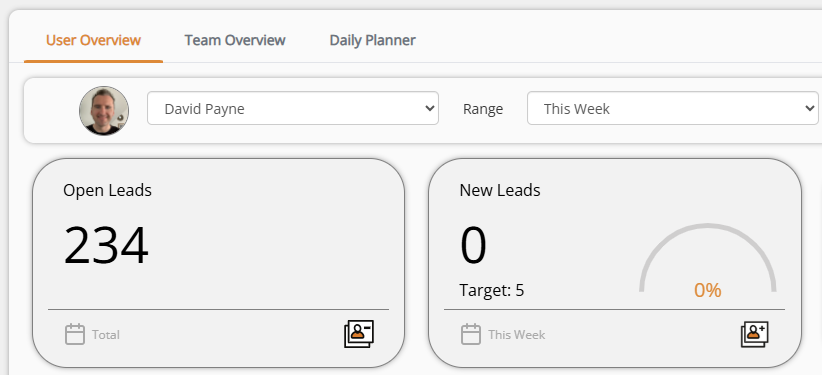
Homepage - Tab Structure
The Homepage has been updated to incorporate the same tab structure that is utilised on entity records. This is to enable future development of the Homepage with extra functionality.
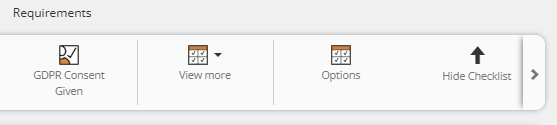
UI Toolbar - Enhanced Row Handling
The toolbar has now been updated so that in instances where the number of icons on the toolbar exceed the available space, the icons will be contained on a single row and accessed via an arrow icon on the right handside:
This ensures a consistent User experience for all.
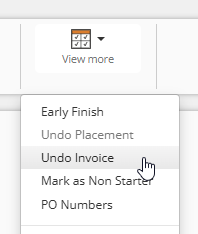
Permanent Placement - Undo Invoice
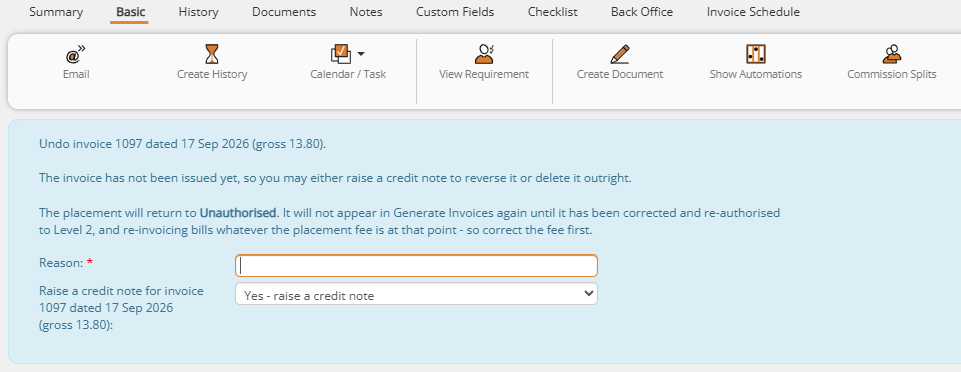
When on a 2nd Level Authorised Permanent Placement, which has been invoiced, there is now workflow which allows a User to undo an invoice and unauthorise the Placement. From the 'View More' menu, there will be the option to 'Undo Invoice':
When selected, you will be asked to state the reason that the invoice is being undone and whether to raise a credit. This will be recorded as a history against the Placement:
Once complete, the invoice will be credited and Perm Placement will be set back to the state of 'Unauthorised'.
Admin > Teams > Ability to Exclude Manager from Team Reporting
Team Managers can now be excluded from their own team's reporting, so the rest of the team's stats aren't skewed by including the manager. Managers can also be granted reporting rights across multiple teams without needing to be added as a member of each one. When in the Teams area:
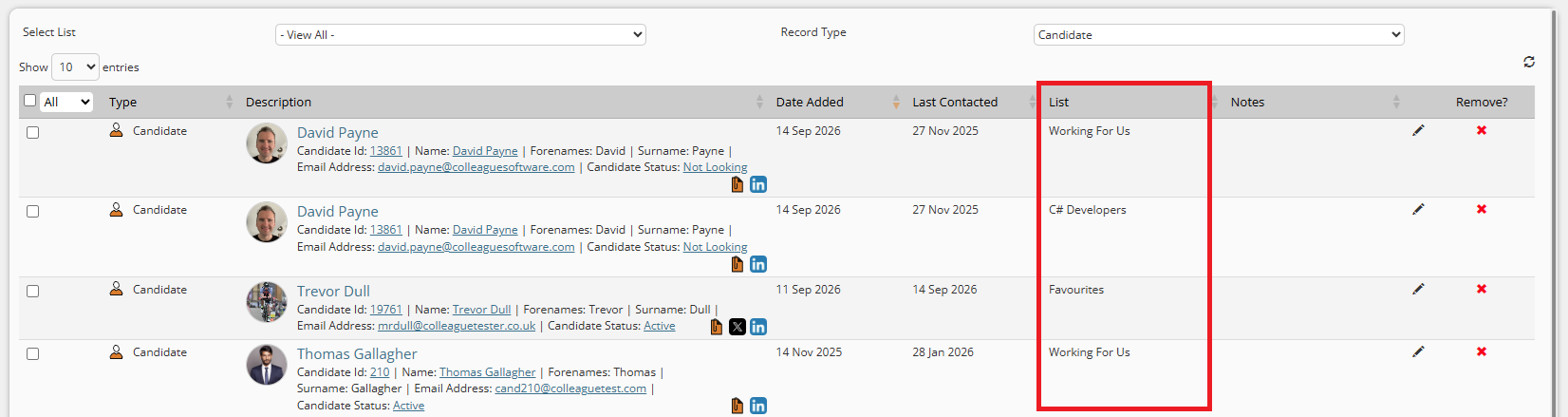
Lists - List column will be added to table when selecting 'View All'
When in the Lists area and selecting 'View All' on the List dropdown. An extra column will now be added to the table to advise the associated list of that entry.
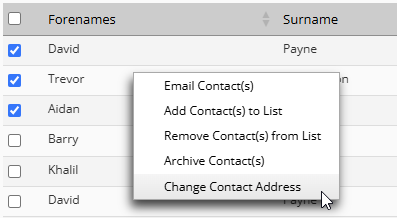
Company/Contact - Bulk Contact Address Update
When on a Company, on the Contacts tab, there is now the ability to update the Primary Contact Addres of one or multiple Contacts via the tickbox and toolbar options. This is also available from the right click menu.
Layout - Notes & Skills
It is now possible to resize the height of the Notes tab on an entity to an optimal size based on your screen resolution. This is then automatically saved as your preference. The 'Skills' tab will also maximise to achieve an optimal layout.
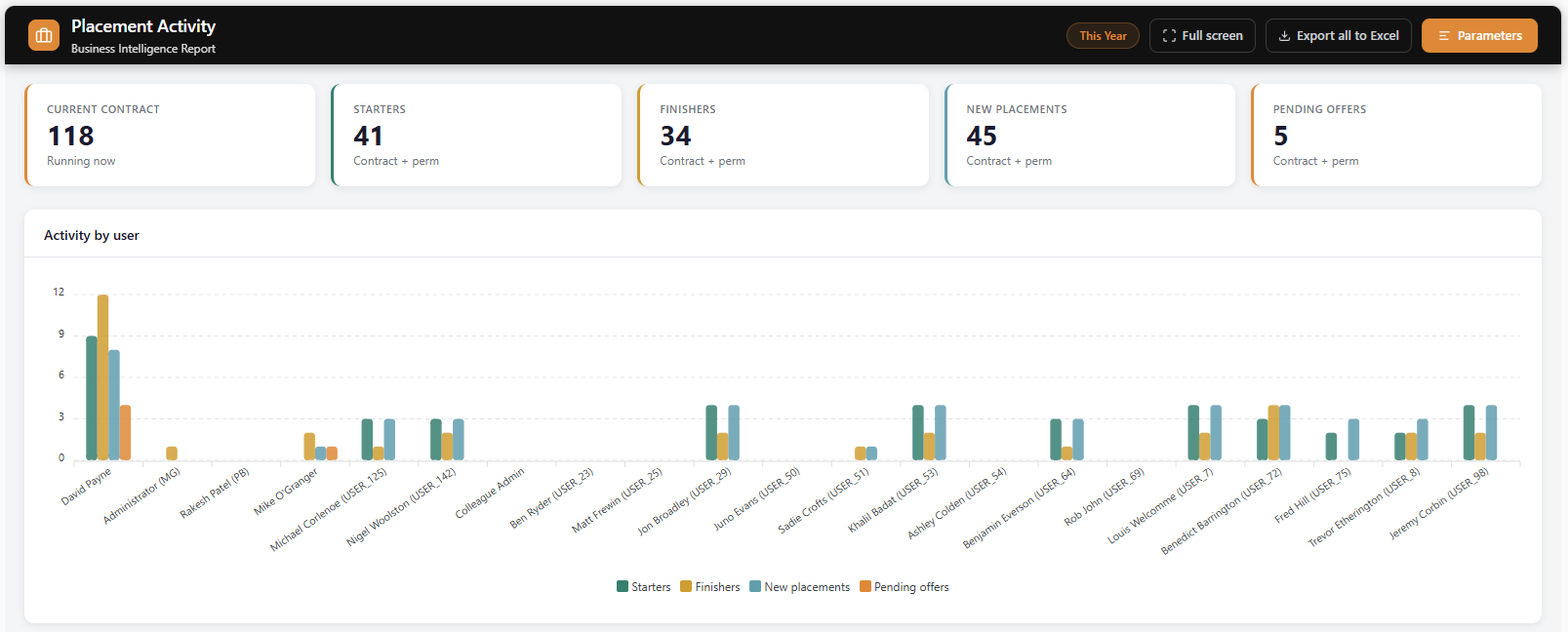
Reports - Redesign
Our standard reports have now been resdesigned, with a clean, modern and consistent interface.
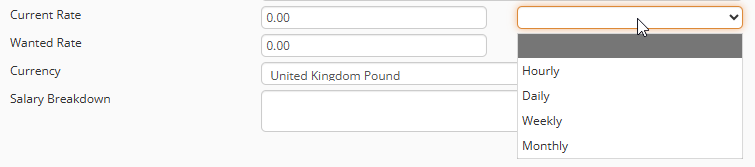
Candidate - Current & Wanted Rate - Unit Of Measure
The Current and Wanted Rates on the Candidate record now include a unit of measure field to specify whether the rate is Hourly, Daily, Weekly or Monthly):
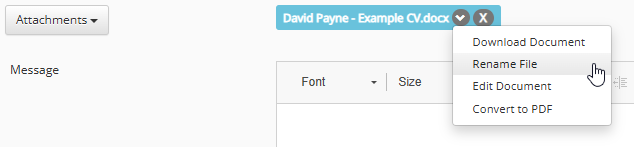
Email Attachments
When sending an email from within Colleague, there is now the option to rename that email attachment before it is sent. This will only rename the attachment. The original file stored against the record will remain unchanged.
 Bug Fixes Bug FixesRolling Contract end date not cleared in the database
Changing a Contract to a Rolling Contract cleared the end date visually but left the old value stored against the record. The underlying value is now cleared correctly.
Last Contacted Date drifting on page refresh
Refreshing a record was causing the hour component of the Last Contacted Date/time to increment on each refresh, with no underlying change to the actual last-contacted event. The display now stays accurate across refreshes.
Search column configuration requiring sign-out/sign-in to apply
Changes to which columns appear on a search screen didn't always take effect immediately, sometimes requiring a full sign-out and sign-in with no indication this was needed. Column configuration changes now apply consistently without re-authentication.
Search results grid rendering at half-height on first load
Selection screen search results were rendering at roughly half the available page height until a further action (sorting, changing page size) forced a re-render. The grid now sizes correctly on initial load.
Apollo Integration
The Apollo integration would return no results, if the User Group Permissions of the User was denying access to certain features on the page. This was due to the storage of certain variables contained within a UGP that were needed by the Apollo integration. This has now been resolved. As part of this update, a fix was also delivered to ensure all the correct variables were passed again to Apollo in the event of a 'Retry'.
History
When merge two Contacts together. If one of the Contacts was created via the 'Mark As Leaver' workflow, and was sharing it's history with another Contact, this additional history would not then be visible on the primary Contact record that is receiving the data.
Session Management
The "already logged in" prompt is now only shown when a session is genuinely still live, rather than on stale sessions. Delivered via a new presence heartbeat (60-second client ping), last-activity/device tracking on sessions, a device cookie for reclaiming the same device, and ensuring inactivity logout properly releases the session record. A read-only "last active" field has also been added to Users.
Saved Search silently clearing down Watchdog settings
When saving an existing Search with WatchDog settings, the "Save Search" action would sometimes silently clear the existing Watchdog settings in error. This has now been resolved.
|