Lusha IntegrationLookup and update Company / Contact records with the latest data held on Lusha.
Lusha provides an extensive database of Company, Contact and Lead generation data. Colleague's integration with Lusha enables a data enrichment process which allows users to lookup and update Company/Contact records with the latest data held on Lusha. Website: lusha.com  Lusha (Data Enrichment) Colleague's integration with Lusha makes it possible to update/check your Company & Contact information against the Lusha database. This will require that you have setup an account with Lusha. When enabled, on a Company record, you will be able to select the Lusha icon in the toolbar.
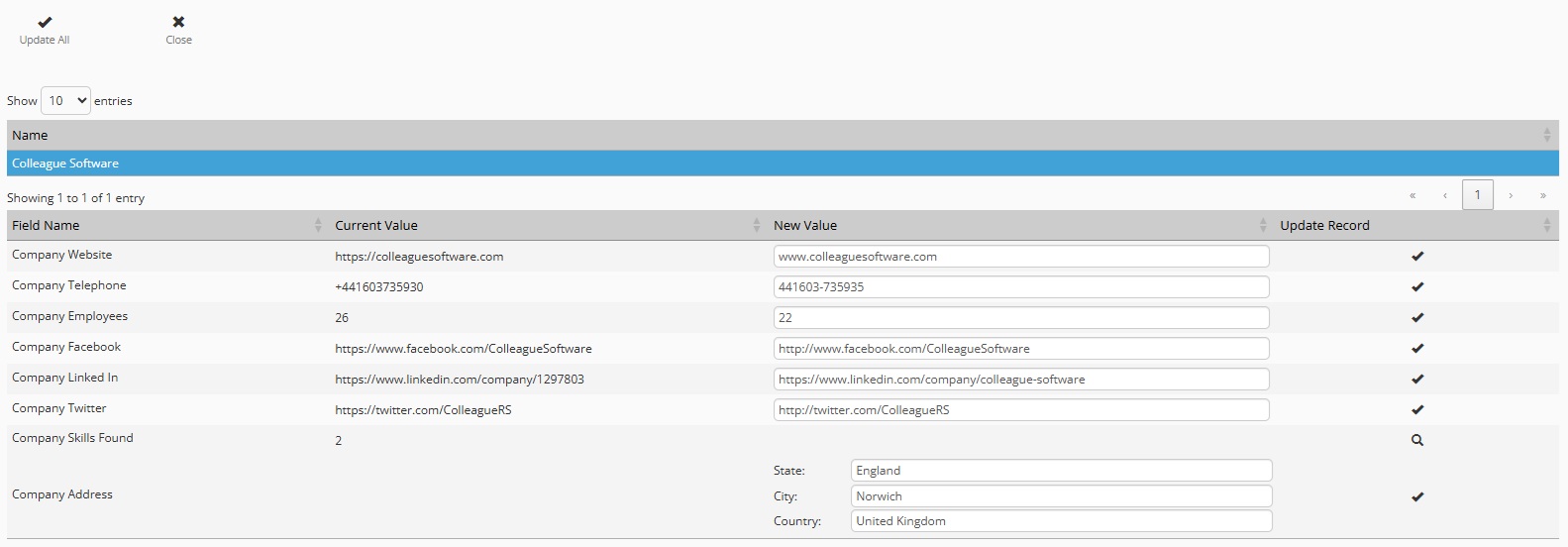
If you have not selected any Contact records, this will perform a Company Search in Lusha. As a mandatory requirement, you will need at least the Company Name and a Website address. The Company data will be brought back to you for review:

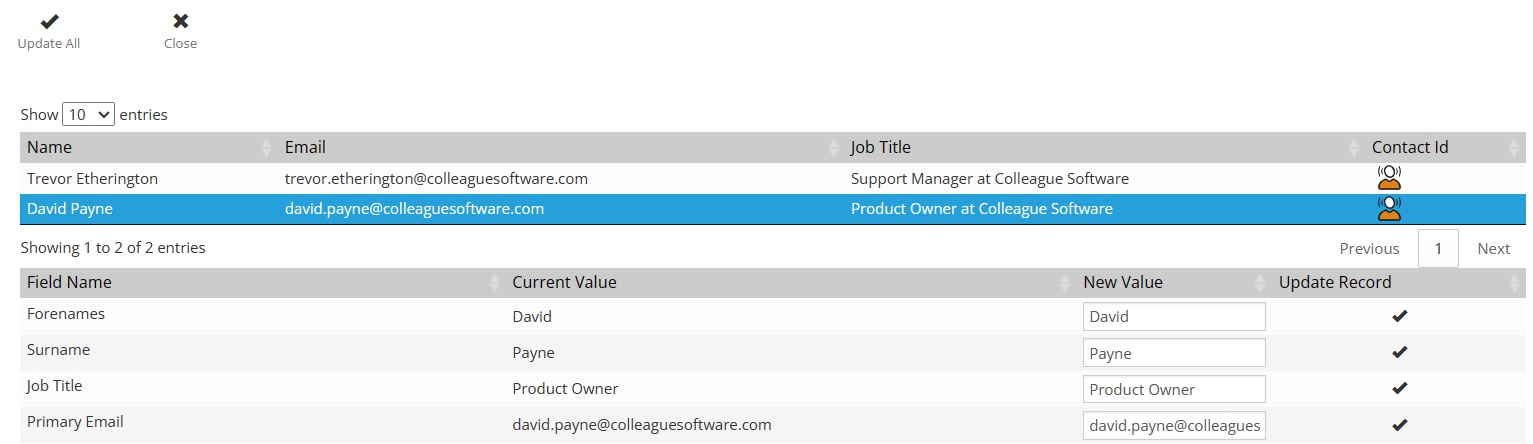
You will be able to choose whether to update all information via 'Update All' or update individual fields by clicking on the tick icon (right hand side). If you wish to search/lookup Contact records, on the Company 'Contacts' tab, tick the Contacts you wish to check (or select all) and click on 'Lusha Search'. Based on the Name, Company and Website address it will attempt to find Contact details relating to the selected Contact(s). If you have an email address against the Contact record, it will also use this to further help with filtering the search.
This feature is also available on a Contact record to check on the details of a record individually. The Lusha integration is enabled via a subscription key and settings within Admin > Global Settings under the Integrations section:

There are also User Group Permissions which enable or disable access to this feature for specific User Groups.
|