
Release Notes - 25.11.02 (November 25)Development delivered under sprints 25.11.01 & 25.11.02.
Key features: AI Email Templates via Azure Foundry, Social Media Links added to Summary View, Teams Integration, plus bug fixes and more. Upgrade date: 07/12/25 
Click the link above to watch the 'What's New?' webinar covering the features of this release in greater detail.  Enhancements EnhancementsEMAIL - Colleague AI Email Templates via Azure Foundry
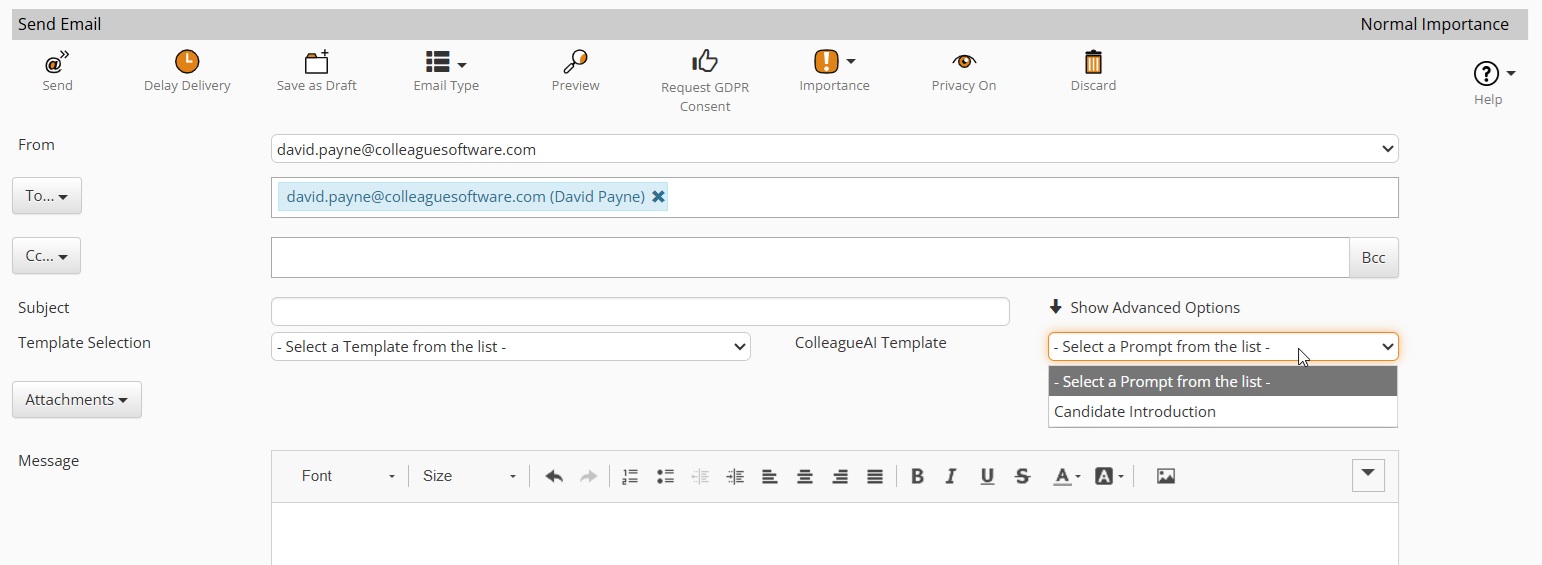
We're pleased to introduce the ability to use AI Email Templates in Colleague. AI Templates allow for the use of pre-written 'prompts' (which can include merge fields) to request AI generated email content from Azure Foundry, powered by ChatGPT. What this means for you:
How do I enable this:
SOCIAL MEDIA LINKS - Summary View Update
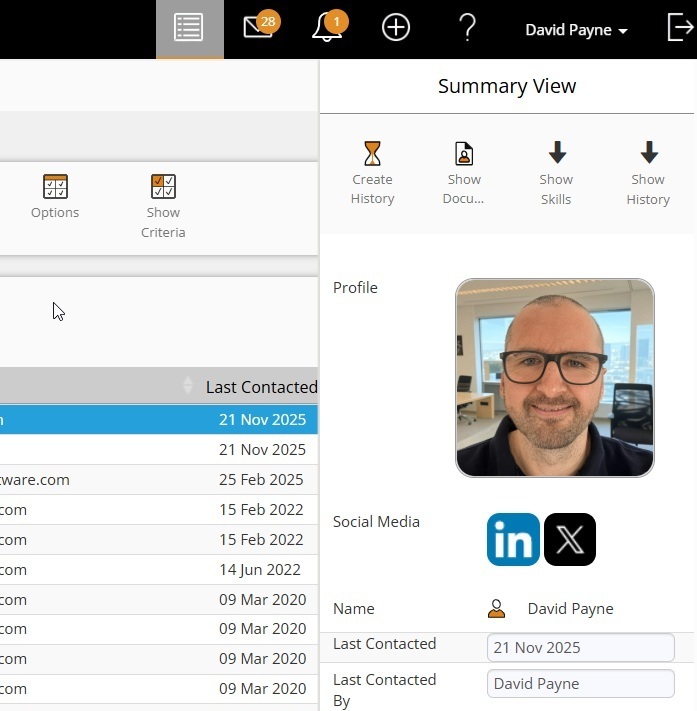
When using the Summary View, throughout the system, including the Browser Extension and Mobile UI, Social Media associated with the record will now be visible. What this means for you:
How do I enable this:
REQUIREMENT - Ability to set Longlisted By & Shortlisted By when running workflow
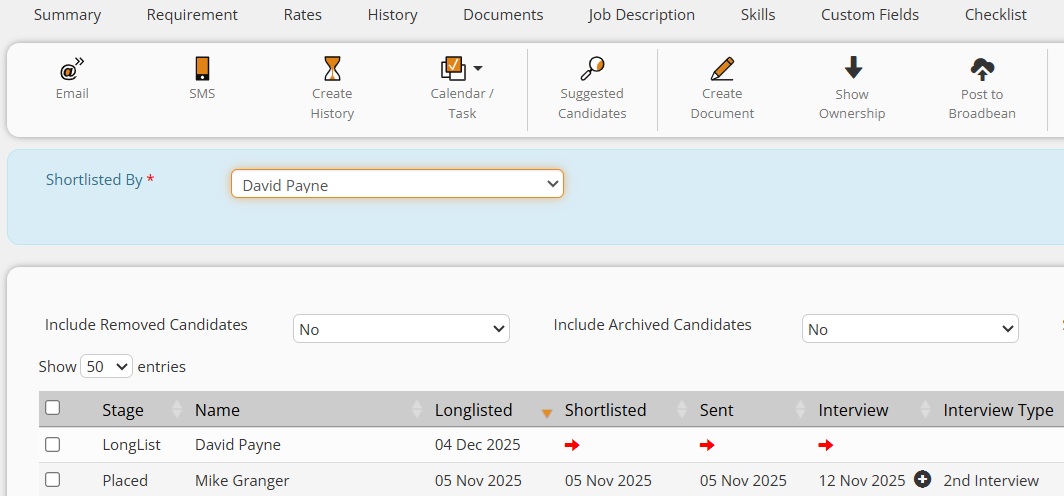
Previously when Longlisting and/or Shortlisting Candidates to Requirements, the 'Longlisted By' & 'Shortlisted By' User fields would set as the User who ran the workflow. In a Recruitment setup where there are Administrators acting on behalf of Recruiters, there is sometimes a need for this to be configurable to maintain accurate reporting stats. This release includes User Group Permissions which grant Users with the ability to set the 'Longlisted By' & 'Shortlisted By' field via a User dropdown. What this means for you:
How do I enable this:
CANDIDATES AND CONTACTS - Update to Exact Match Check on New Record Creation Dupe Check
The 'Exact Match' feature performs a duplication check based on the First Name and Surname, along with the Email Address OR Mobile Number. Previously, this would check the full name of the record, but this has now been updated to perform a wildcard check on the first name. This update better accommodates scenarios where a first name has been shortened, which could cause the exact match check to miss the duplicate. For example: Rob instead of Robert, Dan instead of Daniel, Steve instead of Steven and so on. What this means for you:
How do I enable this:
 Minor UI Tweaks Minor UI TweaksRequirement Candidates > Candidate Mobile Number is now a 'Click to Dial' link
When in a Requirement record on the Candidate's tab, if you have set the 'Candidate Mobile Number' as a column on the Candidates table, it will now be a 'click to dial' link to trigger the call to that number. 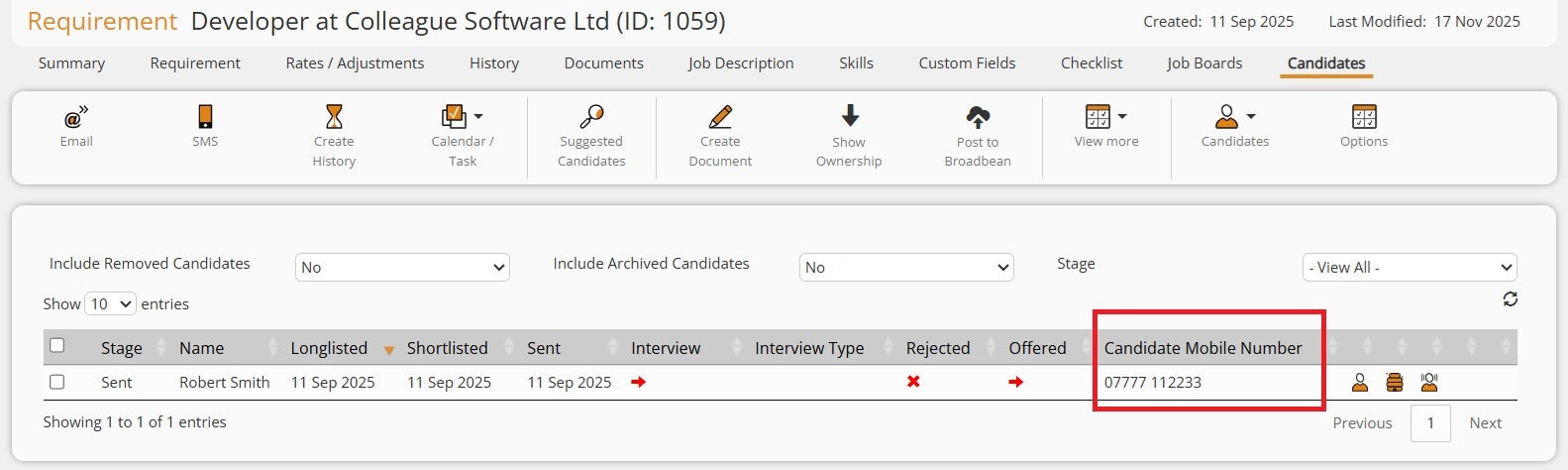
Email Form Updates
The Email Form has been updated so that the 'Bcc' field is hidden by default and is shown if you click on a 'Bcc' button to the right of the 'Cc' field. The Template selection and ColleagueAI Template selection dropdowns are also now available by default, outside of the 'Advanced Options' area: 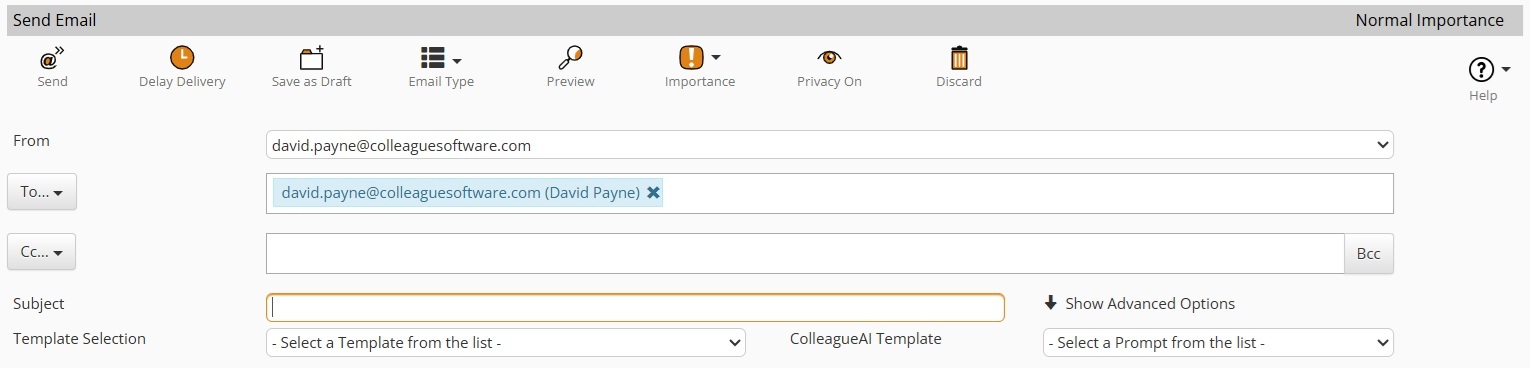
Parse Records Sub Menu
Due to the number of Parser options that are now available via the left hand navigation, we have condensed this into a 'Parse Records' menu. Click on 'Parse Records' and it will reveal the parser options that you can use. This will also still work with 'drag and drop' situations - drag the document over the 'Parse Records' menu title and after a few seconds the sub menu will appear. Candidate & Contact Portal Updates
Several updates and settings have been added to the Candidate Portal based on client feedback:
Search Bar Added to Reports Maintenance
When in Admin > Reports Maintenance, an administrator will now be able to quickly search and find reports to assign to User Groups. This works in the same manner as implemented in other areas of the system. Enter the type of report you are looking for and press 'Enter'. The Search will filter the reports based on a 'Contains' search of the text you've entered. 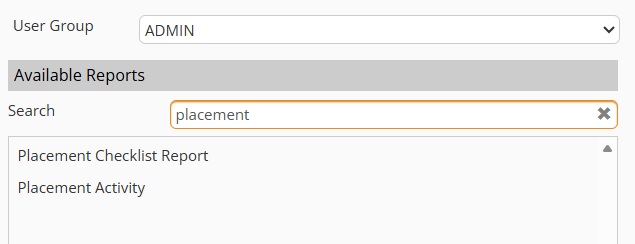
User Group Added to User Menu
The assigned 'User Group' of a User will now be visible from the User Settings menu: 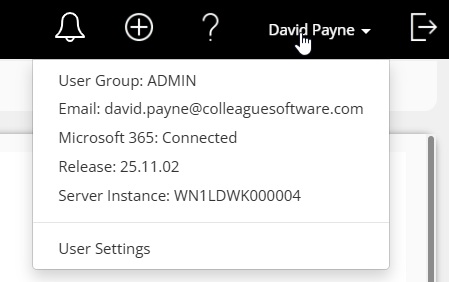  Bug Fixes Bug FixesPost Requirement Parser Feature Issues
Following the release of the Requirement Parser as part of our last build (25.10.03), the below points have been worked through based on client feedback:
Improved Ability to Find 'LinkedIn' URL on Parsed Document
The Candidate and Contact parsing process has been enhanced to better account for social media URLs contained within the CV. If the parsing process has found a social media URL, namely LinkedIn, X, Facebook or Xing, it will create the relevant Social Media Link against the record. Ability to bypass Candidate Details Edit Permission via the Bulk Update Fields feature on the Search
It was identified that the User Group Permission, designed to ensure a Candidate's contact information remains read-only while they are in a current Placement, could be bypassed through the bulk update fields feature within Candidate Search. This issue has now been resolved. Default Document Type Blank on Outlook Add-In
When using the Outlook Add-in, and adding a new document to a record, it was raised that the 'Document Type' field was not being set by the default document type setting. The document index was also not being set, based on the default settings. This issue has now been resolved. Create History - Default Duration Issue
It was raised that when creating a History and choosing to create a Calendar entry, the default duration of a calendar (as per User/Global Settings) was not correctly updating the Start/End times when making edits. This has now been resolved. Recent Items, Lists and Quick Search > Blank fields in Search Results issue
Bug fix delivered to resolve blank custom fields from appearing as empty spaces, showing as just the pipe delimiters (i.e. '| | |'). User Group Lost when Creating new Templates
It was noted that when creating a new template and specifying a User Group, after you hit 'Save' the User Group was not retained. You had to enter it again. This has now been resolved. Error Creating Tasks for Other Users from a Contact Record
Issue raised when creating a Task for another User, specifically from a Contact record. As part of this update, we have also put in place improved error handling around the Task creation process. Insight Portal - Adjustable Font Size
Stylesheet updates have been applied to the Colleague Insight portal, to ensure that the text font sizes adjust as required based on the different screen resolutions. Issue Deleting Custom Field Groups
It was raised that there was a scenario which meant that an Administrator could have difficulties when trying to delete a Custom Field Group. This has now been resolved. |