
Release Notes - 25.08.02 (August 25)Development delivered under sprints 25.08.01 & 25.08.02.
Key features: Refresh Candidate Summary, Longlist from List or Search Result, Notes Maintenance Merge Codes, plus minor UI updates, bug fixes and more. Upgrade date: 07/09/25 
Click the link above to watch the 'What's New?' webinar covering the features of this release in greater detail.  Enhancements EnhancementsTASKS - Task Management Performance Update
The Tasks area within Colleague has been rewritten to support numerous performance enhancements. There are some other minor updates including an option to Search Tasks and the ability to refresh the Tasks table. CANDIDATE - Ability to refresh Candidate Summary on Candidate record
The Candidate 'Summary', which was introduced initially via the CV Parser, can now be populated (or updated) on the Candidate record via a refresh button. This will take the default document against the Candidate, scan the file and generate the summary. 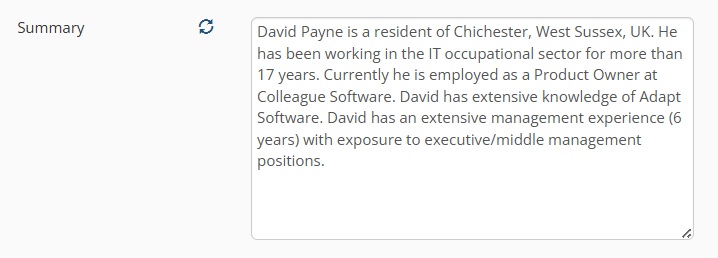
SIDEBAR EXTENSION - New Sidebar Extension Now Available on the Edge Extension Store
The Colleague Sidebar Extension is now available via the Edge Extension Store. A link to download the extension is available here: Click to download The User Guide is available here: Click to open User Guide With this release, there have also been a couple of minor updates:
REQUIREMENT - Longlist from List or Search Result
When Longlisting a Candidate to a Requirement, there will now be the option to lookup Candidates from Lists and Saved Searches, as well as via the usual Search process. The Longlist process will now also support Longlisting multiple records at once to the Requirement. The ability to lookup from lists and saved searches has also been extended to all partial view lookup searches, where it is appropriate for the User to be able to select any record. If it is not appropriate, for example if the User should only be able to select Contacts based at a specified Company, these additional options will not be available. 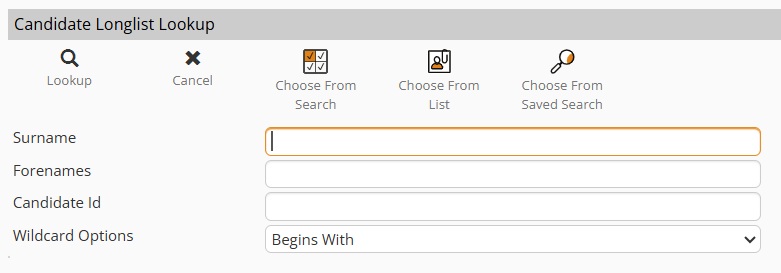
NOTES - Notes Maintenance Updated To Work with Merge Fields
The 'Notes Maintenance' area within Admin will now support merge fields as part of the default note text on an entity record. The merge field data will be pulled into the notes window on creation of the record, supporting the generation of personalised notes, for example a Job Description template on a Requirement. 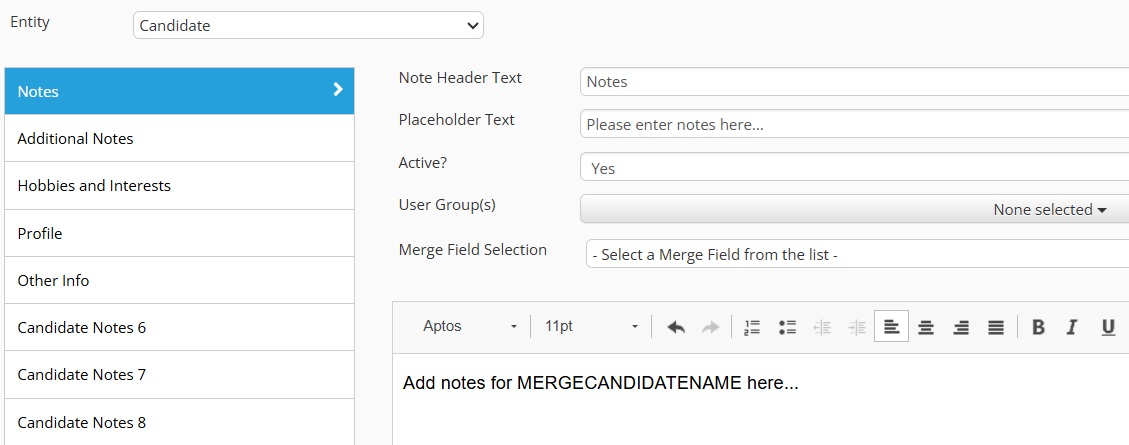
HISTORY - Attachments Icon Against Email Histories
When on the History tab of a record and viewing email histories, if the email has an attachment, there will now be a paperclip icon shown on the right hand side of the history: 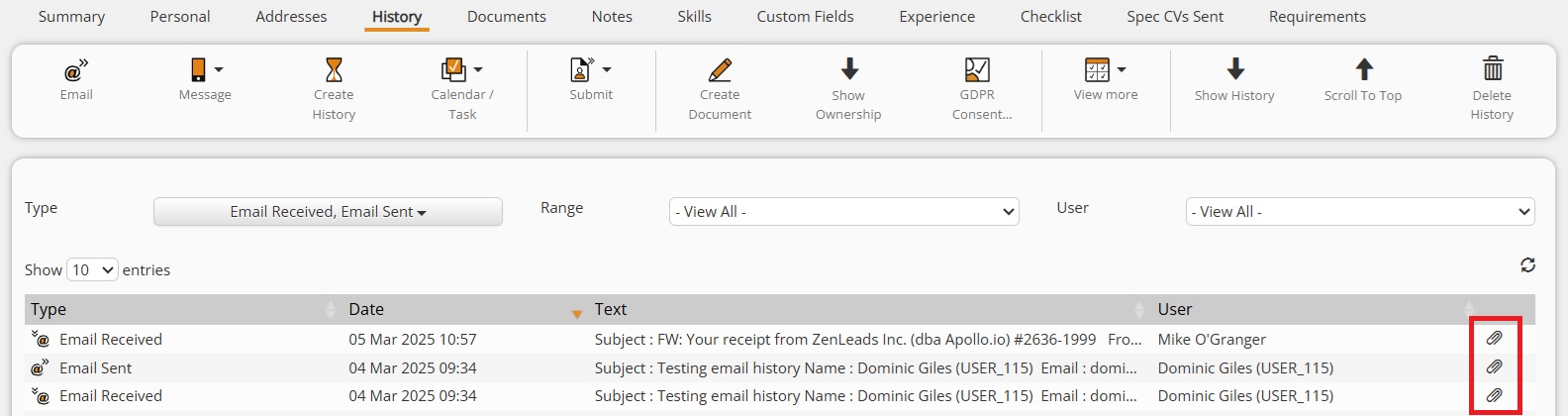
TIMESHEETS - New Timesheet Received Date Field
When adding a new Timesheet to a Placement, there is now a 'Timesheet Received' date field. This enables the User to track when they received the timesheet from the Contractor. This is automatically populated with the creation date of the Timesheet. The Candidate Portal has also been updated to ensure this date is populated with the date the Contractor submitted their timesheet. 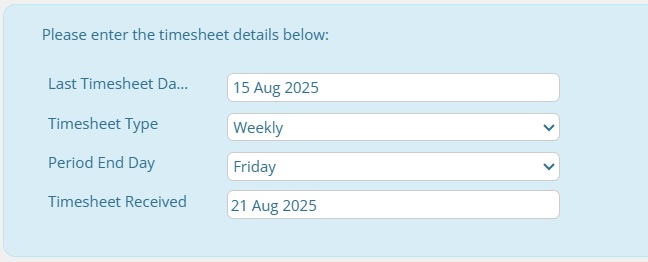
USER GROUP PERMISSION - Set Whether Users Can Edit Candidate Details When In Current Placement
There is now a User Group Permission which will lock down the following fields of a Candidate record if they are in a current Placement:
Admin > User Group Permissions > Candidate > Edit Candidate Details When Working For Us 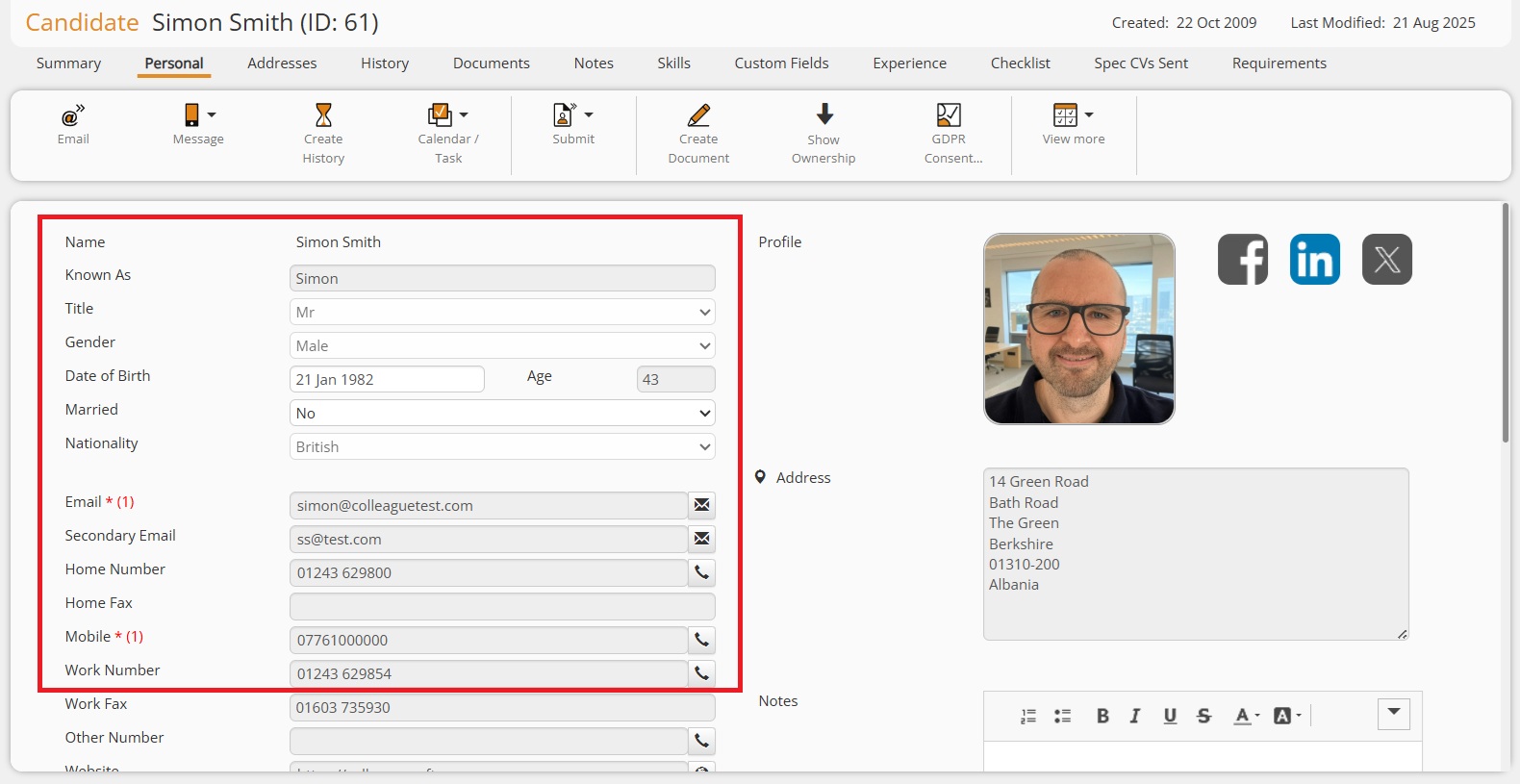
REQUIREMENT - Working for Us check against Requirement Candidate Emails
This update applies to instances when sending an email to a Candidate from a Requirement. The 'Working For Us' check, which would previously restrict a User from being able to contact a Candidate when they are in a current Placement (without the required User Group Permission), will now instead advise the User of the Placement, with the option to continue: 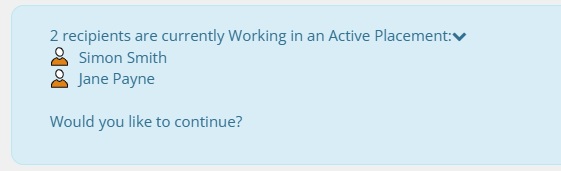
COMPANY - Payment Method on Company Records
This update is to accommodate LTD/Umbrella Company records. Previously, the Invoice Method was labelled 'Invoice/Payment Method', however the Payment Method is a separate lookup field on the Placement and required a separate field within the Invoice/Payment Details area of the Company. This has now been added: 
OUTLOOK - Colleague Outlook Add-In Updates
There have been multiple updates to the Outlook Add-in to resolve a couple of issues and deliver an enhancement:
 Minor UI Tweaks Minor UI TweaksREPORTS - Reports User Guide
When in the Reports area of Colleague, the Reports User Guide is available as an option (top right hand side): 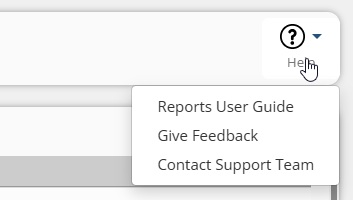
CANDIDATE - 'Resourced By' Added to Working For Us Alert
The 'Resourced By' field of a Placement will now be included on the 'Working For Us' alert: 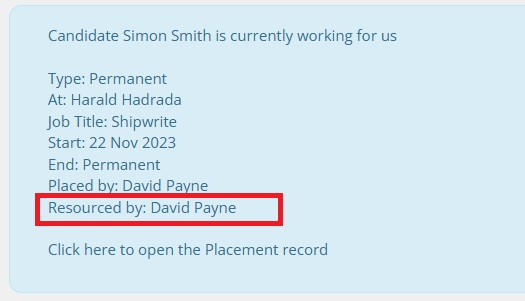
LOOKUPS - Search Bar Added to Lookup Codes
To help speed up navigating around some of the larger lookup lists within the Lookups area, there is now a Search bar added to the codes section: 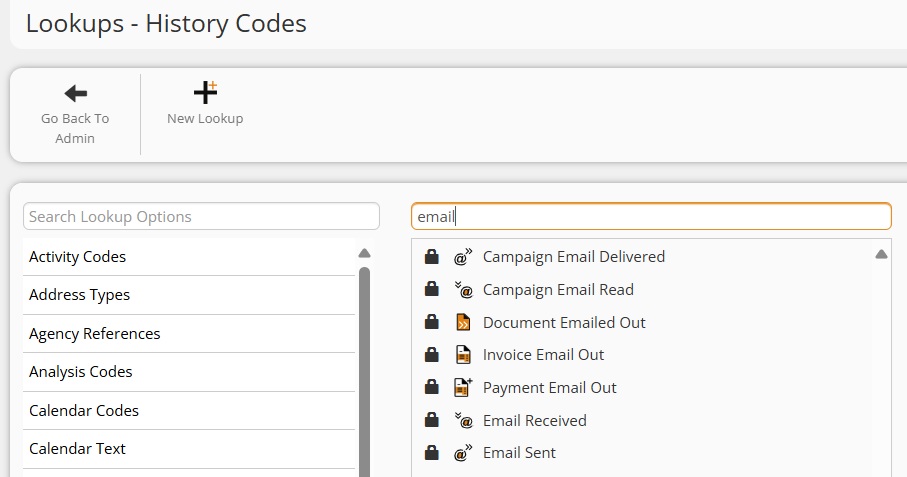
NOTES - Arrow icon increase on CK editor
The far right arrow icon on the HTML editor in Colleague, which is used to expand the additional options, has been increased in size: 
CANDIDATE - Interview Icon added to Requirements tab of Candidate record
When on a Candidate, in the Requirements tab, the Interview icon will now be available as a link to the latest interview of that Candidate associated to the Requirement: 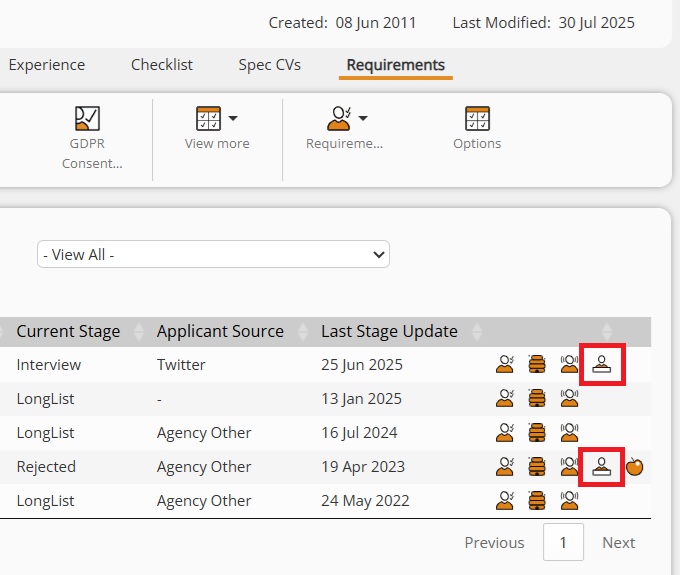
COMPANY - Check to Ensure you cannot Merge LTD/Umbrella Company records Linked with Placements
There will now be a check to ensure when you are merging two Company records together, the merging Company record can not be linked with a Placement as a LTD or Umbrella. ADMIN - Report Targets - Currency Added as Column
When adding targets (Admin > Report Users), it will now be possible to specify the currency of the target. Further work will be required to the User/Team Overview Panels and Reports to support this update. REQUIREMENT - GDPR Merge Field from Requirement Candidates
The GDPR Merge fields for giving or denying consent will now work when sending a Candidate email via the Requirement (Candidates tab on Requirement). GDPR - Global Setting to hide GDPR 'Thumb' icon on Email form
There is now a Global Setting which will set whether the GDPR thumb icon should appear on the Email form. This is set per entity, whether Candidate or Contact:
This is to accommodate clients who wish to use elements of the GDPR feature, but not via the Email form. 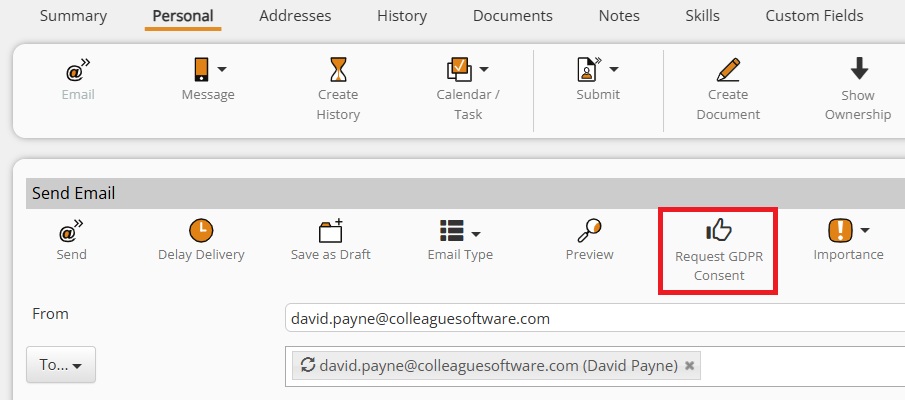  Bug Fixes Bug FixesImporter Leading Spaces
The CSV Importer within Admin > Import Records has now been updated to handle scenarios when the data has leading spaces. These will be removed during the import process. Margin Only Field not Pulling Through to Offer/Placement
The 'Margin Only' field within the Company Invoice Details section was not being pulled through onto Offers or Placements. This has now been resolved. Searches Auto Saving Changes without the User Requesting 'Save'
It was raised that Saved Search Results are being altered without the User using the 'Save' option. There is now a Search Setting (in Admin) which sets whether the User is given the choice to copy a Search Result when they open it, so they can edit the Search Result and it not update the original Search Result, or they can open and edit the original Search Result. Document Preview not Refreshing on Edit
It was raised that the Document Preview would fail to update automatically on initial edit of a newly created document. This has now been resolved. Documents On One Entity Appearing As Default On Other Entities
When accessing the documents of a Placement, that can pull through the documents of linked records, it was raised that the document preview would present the Candidate CV by default. This was due to the Document Preview seeking the default document of the records and instead finding the Candidate's default document (if no Placement defaults existed). We have updated this area so that you can not set a document which is stored against another record as default. When accessing a Placement, it will also only store Placement Documents to begin with by default. Can not delete User Group
An issue which made the deletion process of User Groups fail has now been resolved. Issue when creating Teams meeting from an Interview record
When accessing an Interview record and choosing to send a Teams email, the interview dates/times would not pull through correctly into the email form. This has now been resolved. Missing red asterisk on Create Calendar > End Time
When creating a Calendar event, the 'End Time' was not marked as mandatory. This has now been resolved. Contact Histories not showing Company ID
An issue which caused some Contact histories to be created but not linked to the associated Company ID has now been resolved. This would become apparent when on the Company History tab and selecting 'Show Contact History'. Apostrophe in Record Name Causing Email Issues
An issue that caused an error when sending emails via the Colleague Email form, if the record had an apostrophe in the name, has now been resolved. Dealing with Different ASCII Codes - Quick Search
It was raised that the Quick Search wasn't correctly handling certain ASCII codes, such as the variations on apostrophe. This has now been resolved. Cannot Bulk Update Ownership
An issue which was causing a failure on the bulk updating of Ownership via a Search Result has now been resolved. Users able to Accept an Offer when they don't have permissions
Despite there being a User Group Permission to prevent Users from accepting Offers, it was raised that there was a workaround to bypass this restriction. This has now been resolved. |