Release Notes - 26.10.03 (October 26)Development delivered under sprints 26.10.01, 26.10.02 and 26.10.03.
Key features: AI Suggestions - Candidates, Requirements & Contacts, Lusha Integration, Colleague MCP Server for Claude Custom Connector and Automation Engine (Fixes & Enhancements), Minor UI and Bug Fixes. Sprint window: 24 September - 4 November 2026 Upgrade date: 15th November 2026  Enhancements AI Suggestions - Candidates, Requirements & Contacts
Please Note: This release offers a major update with regards to AI in Colleague.
The below features have been added to the Requirement and Candidate record:
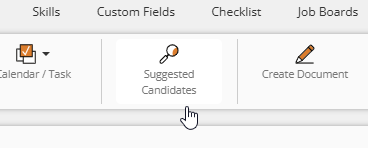
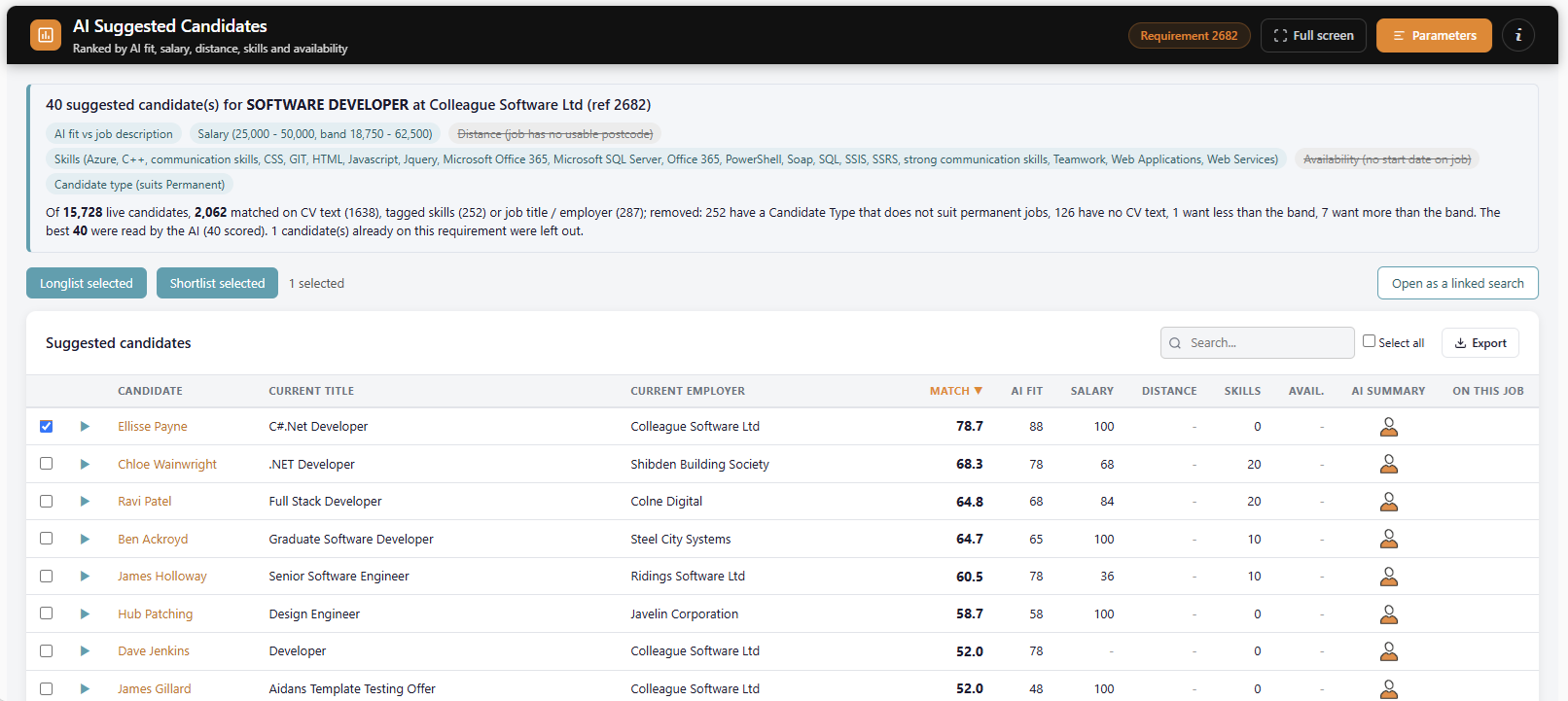
🔍 Suggested Candidates: From any Requirement, select 'Suggested Candidates'. This will open a new tab and conduct an AI powered contextual search ranking the candidates who best fit the requirement. Each candidate will get a fit score, a summary, the reasons they fit and any concerns to be mindful of.
Select the Candidates and choose whether to Longlist/Shortlist to the Requirement, or create a search result containing the Candidates.
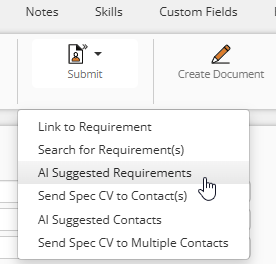
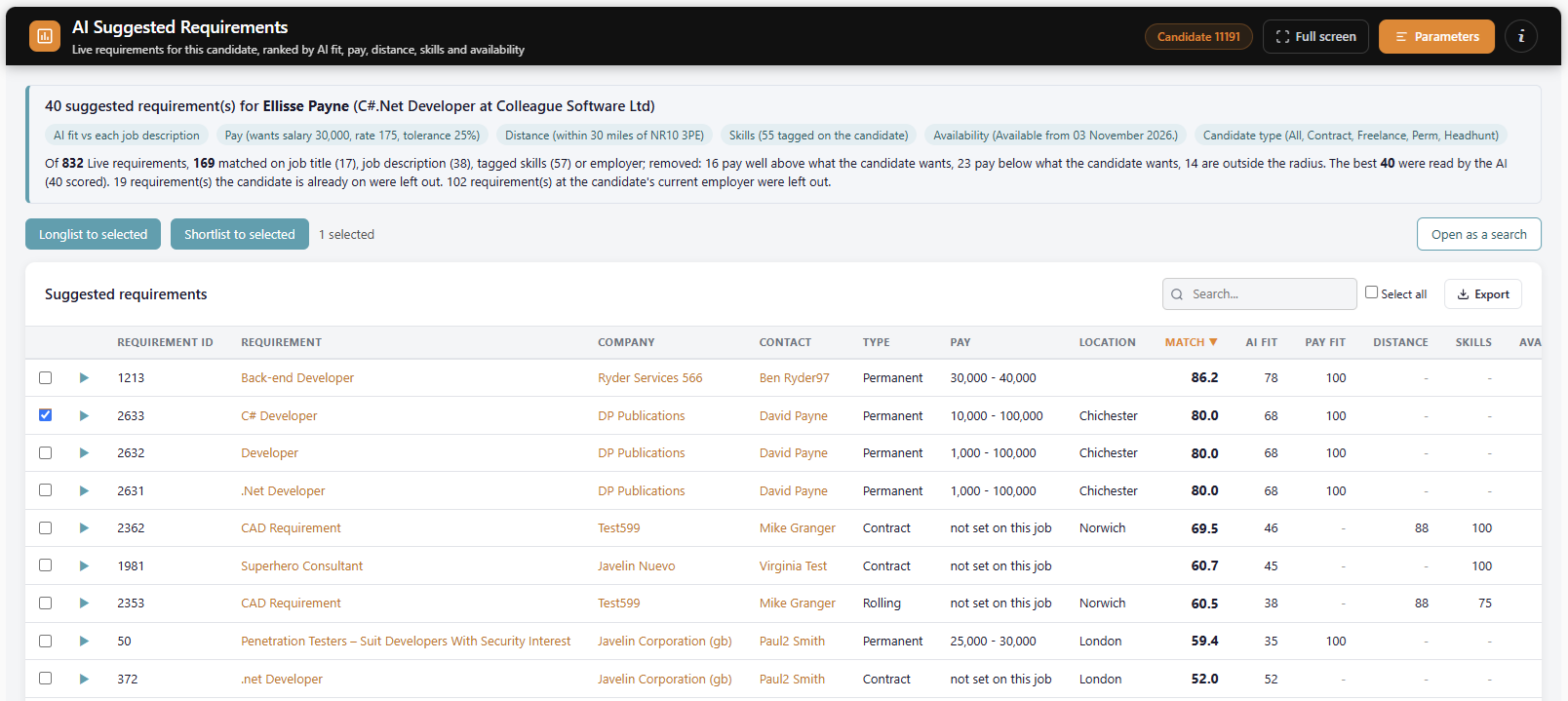
🔍 Suggested Requirements: From any Candidate, select 'AI Suggested Requirements'. This will open a new tab and conduct an AI powered contextual search ranking the requirements who best fit the candidate. Each requirement will get a fit score, a summary, the reasons they fit and any concerns to be mindful of.
Select the Requirements and choose whether to Longlist/Shortlist the Candidate, or create a search result containing the Requirements.
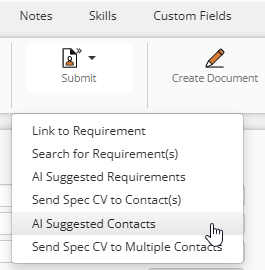
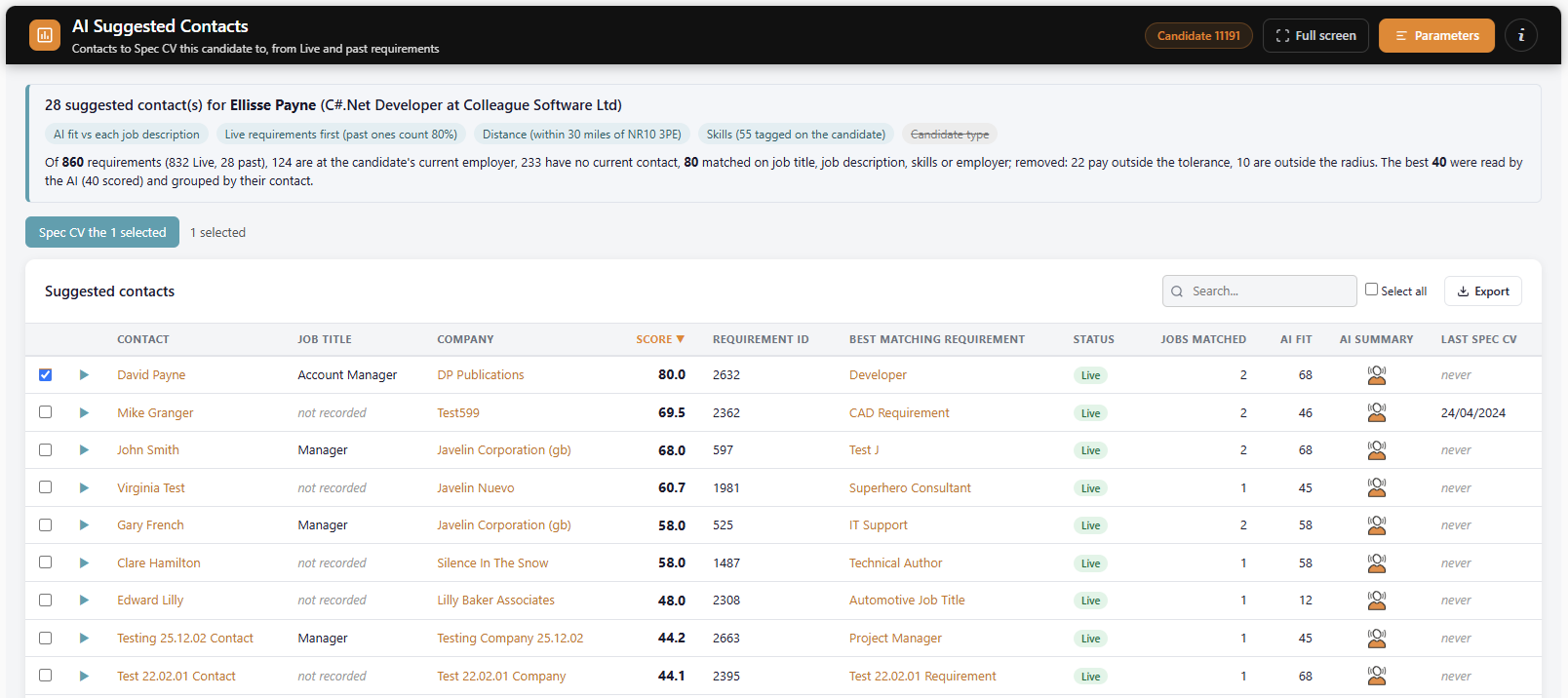
🔍 Suggested Contacts: From any Candidate, select 'AI Suggested Contacts'. This will open a new tab and conduct an AI powered contextual search ranking the contacts who may be interested in receiving the Candidate's CV. This will be based on previous requirements, factoring in location, skills, job description and job title.
Select the Contacts and press on the 'Spec CV' button. This will launch a Contact search containing the selected Contacts and linked to Candidate record.
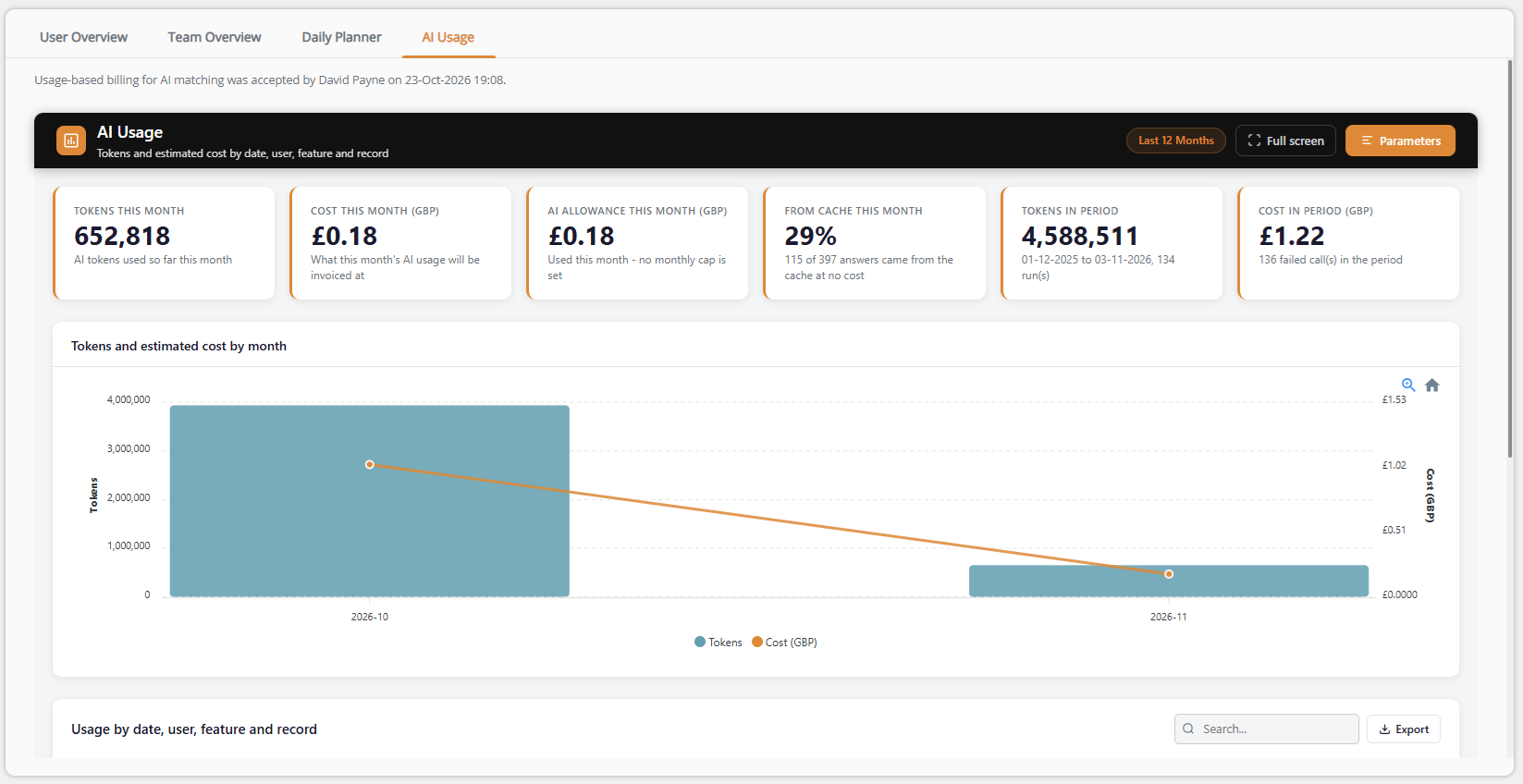
Tracking Usage: AI usage within Colleague has been built with control in mind. AI runs through your own Azure OpenAI deployment, and respects each user’s assigned permissions. Adminisrators will have visability of AI usage via a report. This is made available to administrators on the Homepage and within the Admin area:
Important: There is a confirmation alert to enable AI usage via the Homepage 'AI Usage' tab. This will need to be approved by a system administrator before any of the above features can be used.
Lusha Integration
Colleague now integrates with Lusha!
Using Lusha’s data enrichment API, Colleague can enrich Contact and Company records, helping users keep important business information up to date and making the data within Colleague even more valuable. ✅ Perform either an individual Company record lookup Another integration designed to help Colleague users get more from the data already at the heart of their recruitment business. Update the Global Settings area with your relevant API key and choose whether you are using Apollo or Lusha:
Colleague MCP Server for Claude Custom Connector
We're excited to introduce a new way of interacting with Colleague.
With our new Claude Connector for Colleague, powered by Model Context Protocol (MCP) technology, users can access and interact with Colleague using natural language directly from Claude. Example prompts:
Instead of navigating multiple screens and menus, users can simply ask questions and retrieve information from Colleague in seconds. This initial release focuses on providing secure access to key Colleague data and functionality through a growing set of commands, helping recruiters and consultants work more efficiently while reducing the time spent searching for information. As AI assistants continue to become part of everyday work, we're committed to ensuring Colleague is ready to work alongside them. We're excited to share the first phase of this integration and would love to hear how you would use Claude with Colleague. Click here for more information
Automation Engine - Fixes and Enhancements
Thank you to everyone who provided feedback following the launch of our Automation Engine in release 26.09.02. Your input has helped shape the next round of improvements. The following updates have now been made:
Please continue to provide your automation feedback and requirements via the Support Team.
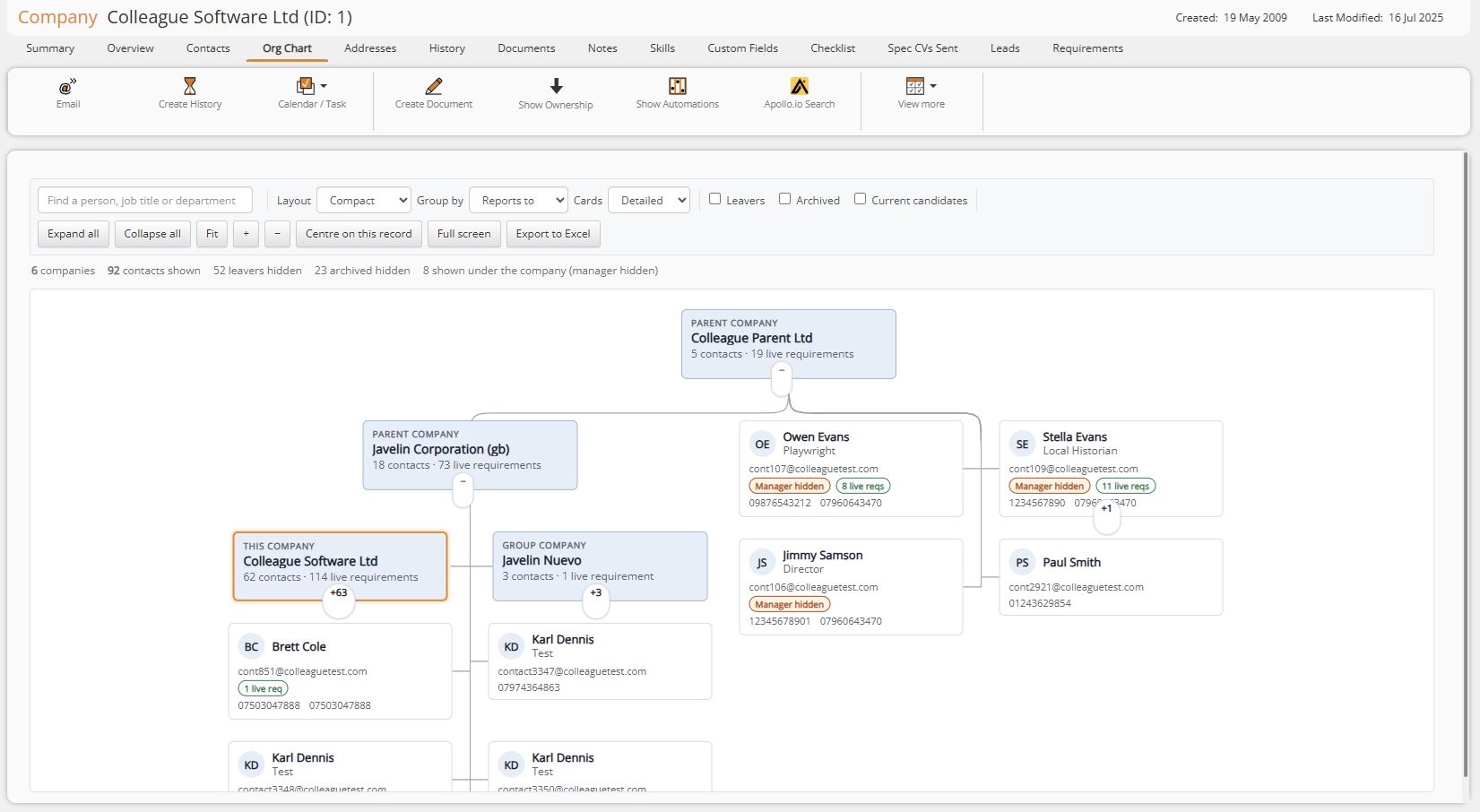
Company Organisation Chart
We've enhanced the Organisation Chart available on both Company and Contact records, making it easier than ever to understand organisational structures, identify key stakeholders, and navigate complex business relationships.
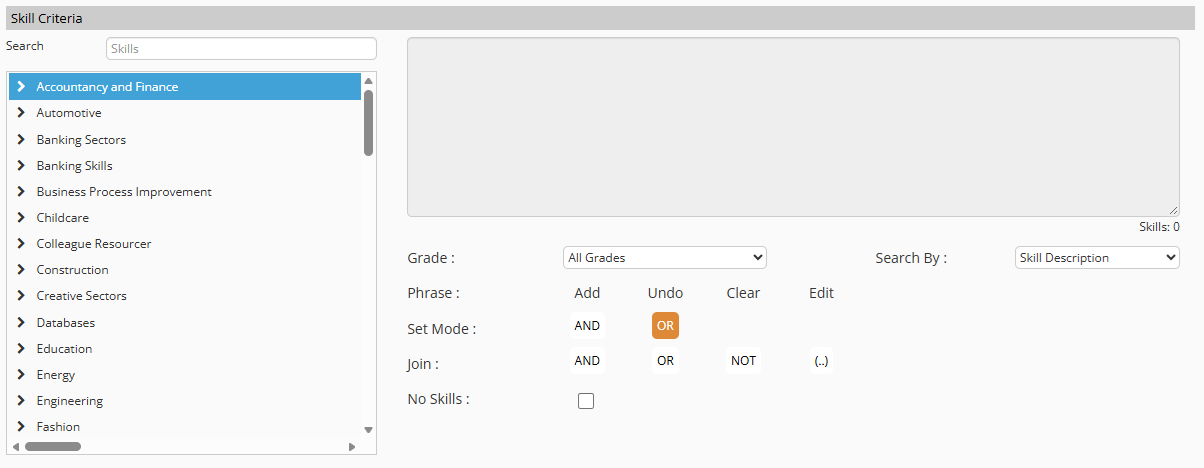
Skill Criteria Search Limit
The limit on the number of skills that can be included within a Skill Criteria Search has been removed, allowing searches to contain as many skills as required.
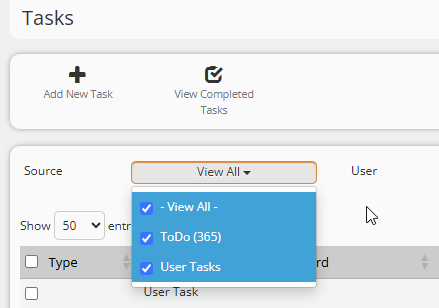
User Tasks
The Tasks area now displays User Tasks alongside Microsoft 365 To Do tasks. Users can choose between:
The Tasks page and Daily Planner default to View All.
 Minor UI Improvements Search Toolbar
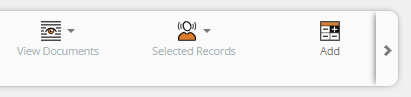
The Search toolbar has been updated to provide a layout consistent with other record toolbars. Icons now remain on a single line with left and right scrolling available where required, while divider lines help group key workflows. The number of records found is displayed separately from the toolbar.
Show Results/Criteria remains visible at all times but is unavailable until results exist. Options that are only relevant to search results, such as linking to a Requirement, appear once results have been returned.
Recent Items Quick Access
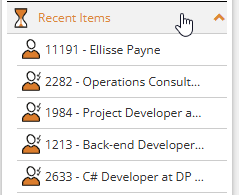
A new dropdown alongside Recent Items in the navigation menu provides quick access to the last five records opened.
Each entry displays the relevant entity icon, Record ID and name.
Selecting the 'Recent Items' label itself continues to open the full Recent Items page. In Addition: Recent Items now includes a 'Select All/Page' inline with Search Results and Selection Screens
Standard Export File
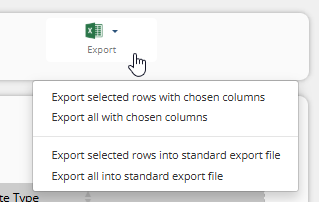
The Export menu for Candidates, Companies and Contacts now provides four options, allowing users to export selected or all records using either their chosen columns or the new Standard Export File. The Standard Export File begins with the Record ID, exports skills as codes and uses a consistent column order. It is also available from Lists, Quick Search and Recent Items.
Emoji Support in Templates and Emails
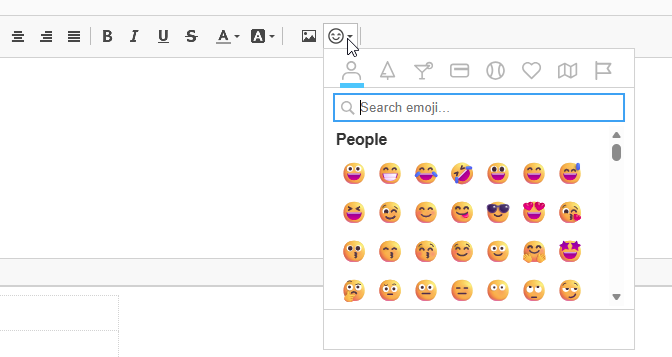
Emojis are now supported within email templates and emails and will be displayed correctly rather than appearing as "??". An Emoji button has also been added to the editor, providing access to the emoji picker.
Right Click Menu Icons
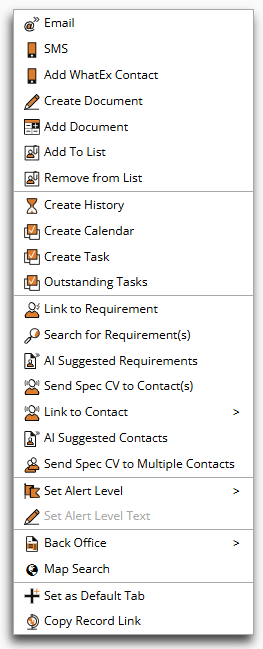
Icons have been added to the right click menus.
Record Tabs
The animated sliding underline used on the Homepage tabs has been extended to tabs across entity records, providing a more consistent interface in the style of Microsoft 365 applications.
Contract Placement Revenue and GP
Contract placement Revenue and GP calculations now use the actual Monday-to-Friday working days within the period rather than rounding the calculation to whole weeks. This calculation method is now standard for all clients. The calculation is now as follows (Revenue uses the charge rate; GP uses charge rate minus pay rate)
Help and User Guides
The Help menu on the Automations Maintenance page now includes an Automation Ideas guide beneath the User Guide. The Back Office Help link has also been updated to open the updated online Back Office User Guide.  Infrastructural Improvements Rewrite Data Stats (Report Performance)
Background processing has been redesigned to prevent it from saturating the server and affecting mailshot performance. Automations now operate through their own dedicated worker.
AI Model and Reasoning Settings
Colleague's AI functionality, including job description and email generation, has been updated to use gpt-5.6-luna.
Improved Session Handling
If a session expires or the connection times out, users now receive a pop-up warning rather than being returned immediately to the login page. This helps preserve unsaved information. Refreshing the page obtains a new session or, where authentication is required, presents the login within a pop-up before rechecking the Microsoft 365 connection.
Background Processing and Mailshots
Background processing has been redesigned to prevent it from saturating the server and affecting mailshot performance. Automations now operate through their own dedicated worker.
Document Preview Stability
Improvements have been made to the previewing of very large or complex Word documents to prevent excessive web server memory usage and associated service disruption.
Web Server Stability
An issue where parallel requests could cause a web server to remain at full CPU and result in timeouts has been resolved.  Bug Fixes Notes
Several improvements have been made to make Notes saving more reliable. Notes are now protected when navigating away from a record, closing a browser tab or when a machine enters sleep shortly after entering or pasting text. A saving animation and confirmation tick provide clearer feedback on the save status, including on the main Candidate, Contact and Company pages. Saved Notes are also no longer unnecessarily rewritten when the editor is selected without making any changes.
History
Deleting a Candidate no longer removes History text that is shared with other active records, such as an email linked to both a Candidate and Contact. Only the Candidate's link to the History entry is removed, and links to deleted records are no longer displayed within the participants table.
Email Delay Delivery
When using Send Email with Delay Delivery, selecting the toolbar Send button no longer sends the email immediately and ignores the scheduled date and time. The Delay Delivery icons have also been made consistent.
Infinite Scroll Improvements
Updates made to ensure the infinite scroll option in Search Results now runs in the most efficient manner possible.
Back Office
Permanent placement invoice generation no longer fails when the Invoice Tax Code or Payee Tax Code is displayed as a default value but has not previously been saved against the placement.
Document Download Notifications
When a CV or document download link is emailed to a Contact, repeated requests for the document no longer create duplicate notifications and Document Downloaded History records.
Requirement Validation
A mandatory Duration/Contract Length field can no longer be satisfied by leaving its default value at zero. The validation now behaves consistently with Hours Per Week.
Lists
The Add to List dialog now closes correctly when OK / Cancel is selected.
International Characters in Documents
Document text containing Polish and other non-Western characters, including characters such as ł, ś and ż, is now stored correctly rather than being converted to the nearest Latin character.
Placement Invoice Tax Code
Placement Invoice Tax Code is shown as a default but never saved - perm invoice generation then fails.
Admin > Team Overview
Admin > Team Overview: Dial order changes are not saved after drag and drop. |