Release Notes - 26.08.02 (August 26)Development delivered under sprints 26.08.01 and 26.08.02.
Key features: Undo option on Search, Larger import files now supported, plus minor UI and bug fixes. Upgrade date: 06/09/26  Enhancements EnhancementsLarger Import Files Supported
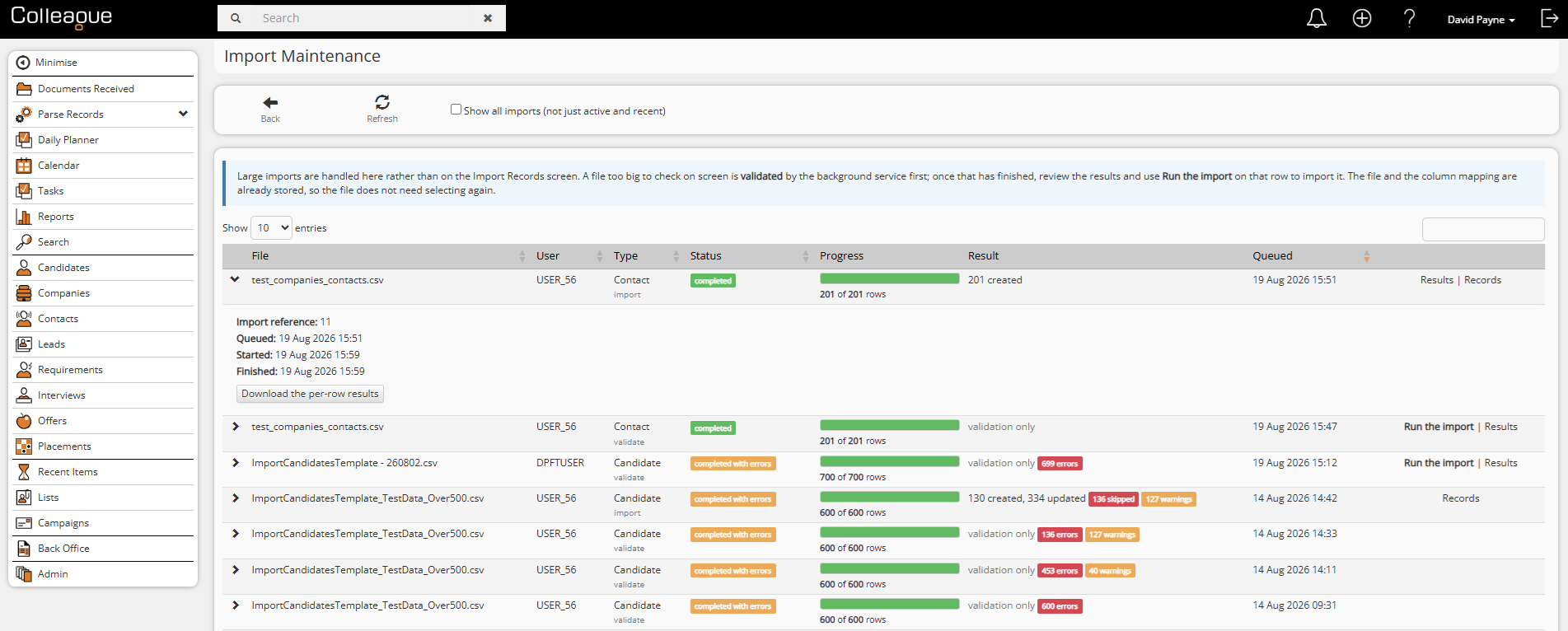
The Import Records feature no longer caps customers at 500 rows. Larger files are processed in the background, with a new Import Maintenance screen showing progress, running counts, and the ability to cancel a queued or in-flight import. Users get a notification with a direct link to their imported records once processing finishes, and interrupted imports (e.g. due to a deployment) resume cleanly rather than restarting from scratch.
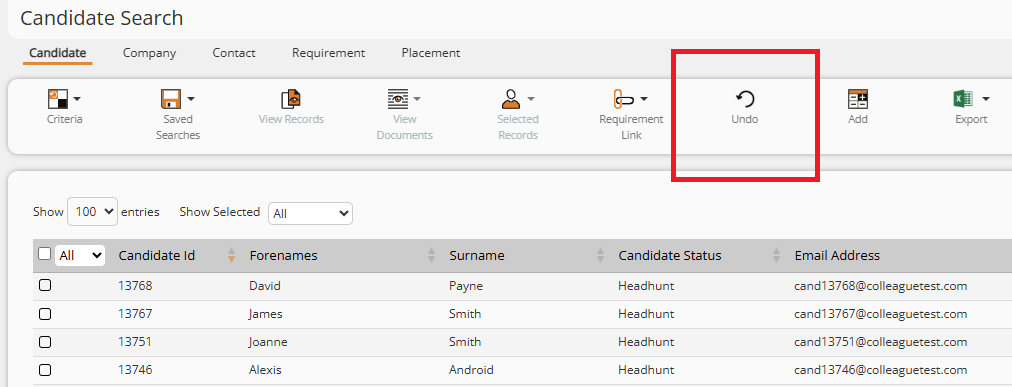
Undo Button on Search
Search results now support an Undo action, so a record accidentally removed from a search - including ones a user has spent a long time refining - can be brought straight back, complete with its original rank and document links.
Bypass Exact Match Permission Split by Entity
The "Bypass Exact Match Check" user permission (used to control duplicate-record checking) can now be granted separately for Candidates, Companies and Contacts, rather than as a single all-or-nothing setting. This update will give clients the option to deliberately create duplicate Contacts (e.g. a contact who works across several legal entities) while still enforcing strict duplicate checking for Candidates.
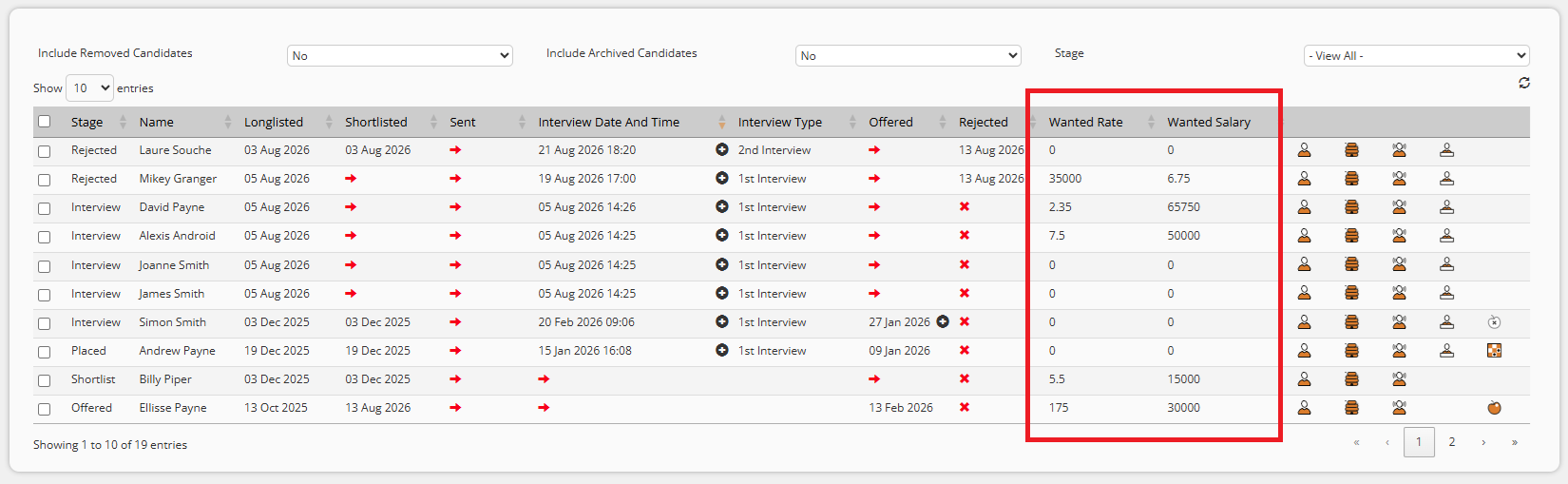
Current Rate added as a selectable column on the Requirement Candidates tab
The Current and Wanted Rate / Salary of a Candidate (stored on the Candidate record) will now be available as a column when configuring the Candidates tab on a Requirement:
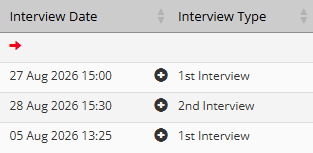
Interview Date/Time Column on Requirements
The Candidates tab on a Requirement will now show Interview Time alongside the Interview Date in the column:
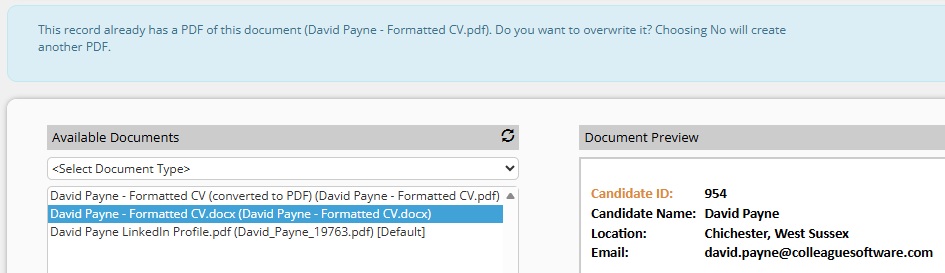
Convert to PDF - Overwrite Option
When converting a Word document to PDF, in the event of an existing PDF having been already converted, Users will be asked whether to overwrite the existing PDF or create an additional copy, cutting down on multiple stray PDFs building up against a Candidate record.
 Bug Fixes Bug FixesMandatory Fields Admin - unnecessary "leave site" warning
Switching between entities on the Mandatory Fields configuration screen no longer triggers a "Changes you made may not be saved" browser prompt unless there are genuinely unsaved changes.
Import Records - duplicate contacts missed
The contact duplicate check performed during CSV import now also matches on email address (not just company/forename/surname), and ignores stray leading or trailing spaces in stored data. Previously, records with blank name columns, or with trailing whitespace on a stored value, could import as unwanted duplicates instead of being matched or updated as expected - this also fixes company records being duplicated for the same reason.
Company Address Deletion
Deleting or amending an address on a Company record could, in some cases, leave the record with no primary address, after which the record would fail to open. Address deletion is now validated properly, a replacement primary address is promoted automatically, and several related defects in the Addresses tab (a stale form value being read, a dropdown not refreshing after a delete, and a couple of null-handling issues) have been fixed.
"Show Entries" Per-Page Setting Not Saved
The "Show [X] entries" per-page selector on search and selection grids now remembers a user's chosen page size between visits and sessions, instead of resetting to 10 every time.
Invoice Generation Failures
Improved diagnostics and error handling around invoice generation, following intermittent "Failed to Generate Invoices" errors some customers experienced (which typically succeeded on a retry). The underlying failure is now logged in full detail so any recurrence can be diagnosed precisely, and genuine connection hiccups now show a friendlier "please try again" message. A related client-side bug that caused some failed requests to leave the loading spinner stuck without any error message has also been fixed.
Importer now handles accented and special characters correctly
Records imported from a CSV containing accented characters (e.g. "Franzè") were being corrupted into a placeholder character during import. Names and other text fields now import correctly and preserve the original accented/special characters.
"No Value" filter fixed for multi-select lookup fields
Searching with "No Value" selected on any multi-select lookup field (datatype 31) - including Industry Code, Company Type, Candidate Type, and Contact Type - incorrectly returned zero results even when matching blank/NULL records existed. This is fixed across Company, Candidate, and Contact search, and populated-value searches on the same fields are unaffected.
"All Longlisted/Shortlisted Candidates" User Overview panels no longer show rejected Candidates
These dashboard dials are meant to show only candidates currently sitting at the longlisted or shortlisted stage. Candidates who were subsequently rejected continued to appear. The dials now correctly drop a candidate once they've been rejected.
Shortlisted Candidate dial now respects the date picker
The Shortlisted Candidate dial ignored the selected date range and always reported statistics for the current week only. It now correctly reflects whichever date range is chosen.
Candidate Search: fixed SQL error when searching by Country with no value selected
Selecting "Country" as a search criterion and submitting with no values checked caused a SQL error (Msg 4145) instead of returning results. The root cause was a naming collision between the system "Country" field and a client custom field labelled "COUNTRY". Logic has been added to prevent this kind of clash between custom and base fields sharing the same name.
Calendar creation permissions clarified
Creating a calendar entry on behalf of another user requires the "Create Calendar Entries against another User" permission and Team access, but the previous permission descriptions didn't make the Team-access prerequisite clear. The permission descriptions and behaviour have been corrected so this requirement is explicit.
Import Records feature reliability reviewed
Following reports from Support of imports crashing when processing larger volumes, the Import Records feature was reviewed; the specific duplicate-matching defects found during that review are covered by the fix above. |