
Release Notes - 26.02.02 (February 26)Development delivered under sprints 26.02.01 & 26.02.02.
Key features: Placement Checklists added to Candidate Portal, Tasks page improvements, Outlook Address Book loading icon, plus bug fixes. Upgrade date: 07/03/26  Enhancements EnhancementsPORTAL - Placement Checklists added to Candidate Portal
The Candidate Portal has been updated to include Placement Checklists. Placement Checklists are a configurable list of 'To Do' items, which are different from the Candidate Checklist, as they are often unique per Placement / Company. Within the Portal, the Candidate will be able to select their current or future Placements and view the Checklist items configured to be accessible via the Portal. The Candidate can then edit the items as necessary, including the upload of related documents. Whether the Candidate will have the rights to 'Complete' a Checklist item will be based on a Global Setting (under the Portal section). Whether the Candidate can view a Checklist Item will be based on a 'Show in Portal' setting against each Checklist Item (Admin > Checklists). When a Candidate updates or completes a Checklist item, a notification will be triggered and sent to the email address(es) set in Global Settings. 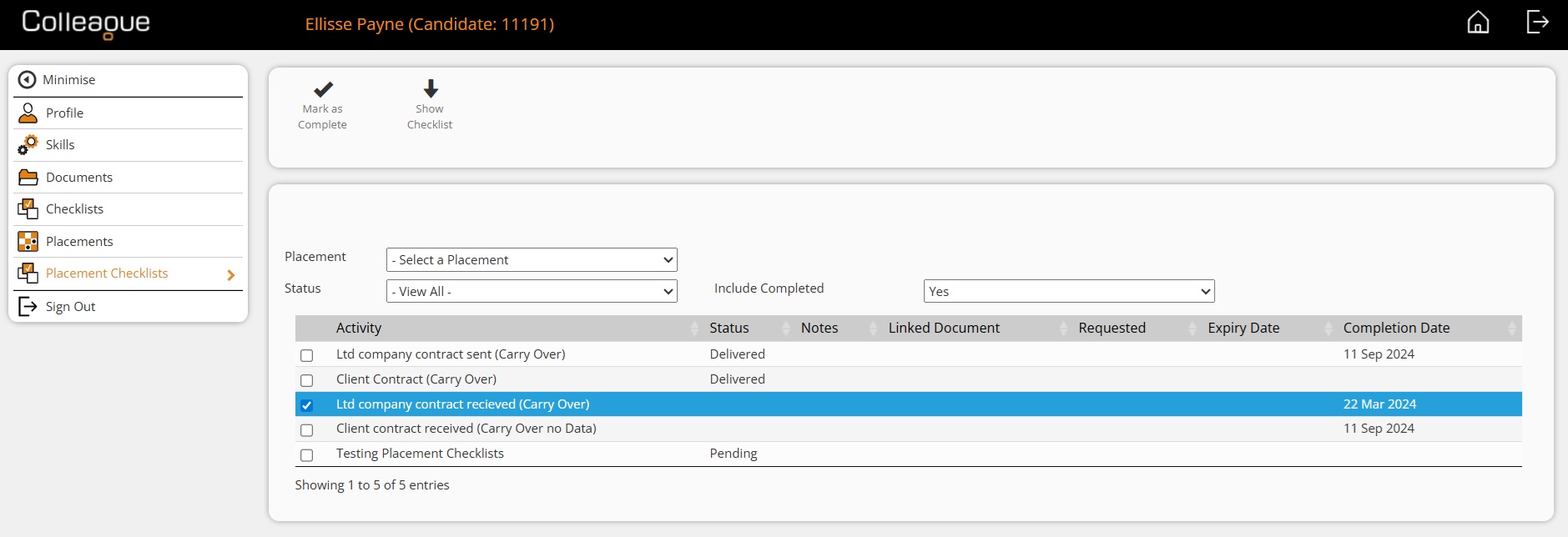
TASKS - Tasks UI updated on Tasks Page
The general Tasks page, which lists all of your outstanding Tasks against your User, has been updated to be inline with the UI on the entity record. This includes an updated 'Quick Search' approach for linking records to Tasks and optimises forms used to 'Create Task', 'Complete Task and Add Another' and 'Edit Task'. The interface should feel smoother and more intuitive. 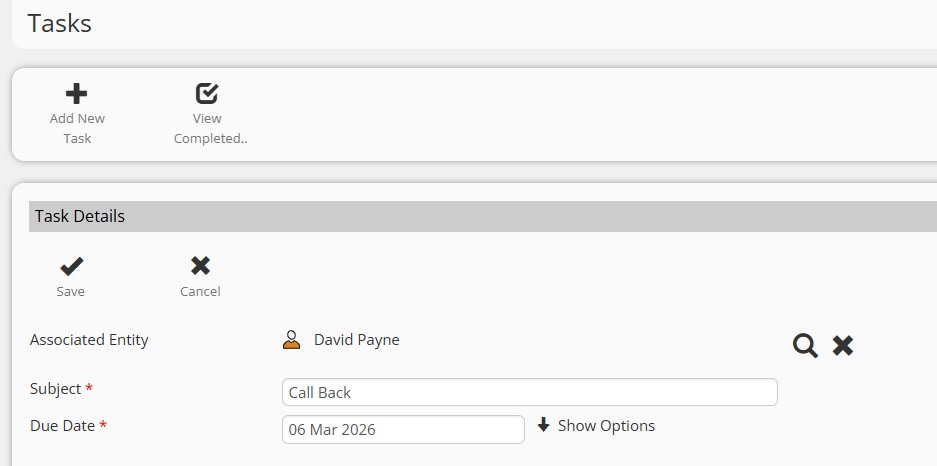
EMAIL - Outlook Address Book Loading / Loaded Icon
If your system has been configured with the permissions to sync with the Users Outlook Address Book, there is now a new icon to indicate when the Address Book is loading and loaded. The request to sync with the Address Book is made on load of the email form, this can sometimes take several seconds to complete (depending on the size of the Address Book). Whilst loading, you will see this icon (next to the 'To' field): 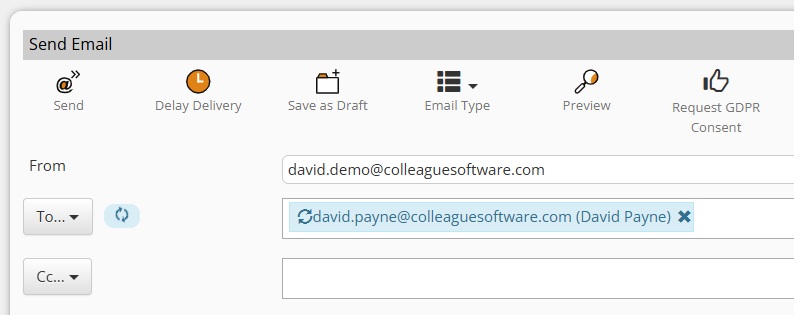
Once loaded, the icon will turn green with a tick, the mouseover text will also confirm the Address Book has loaded: 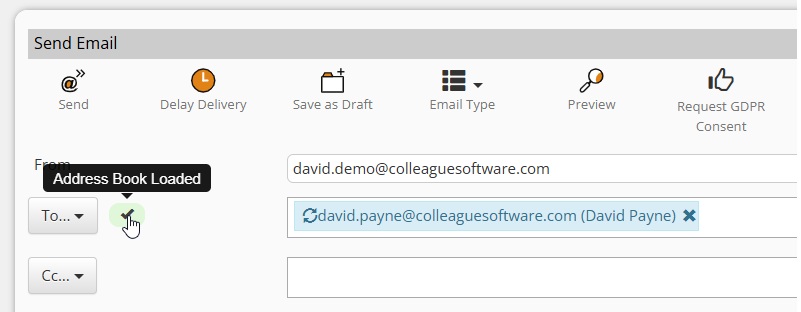
With the Address Book loaded, when typing into the 'To' field, the email addresses from your Outlook Contacts will be listed: 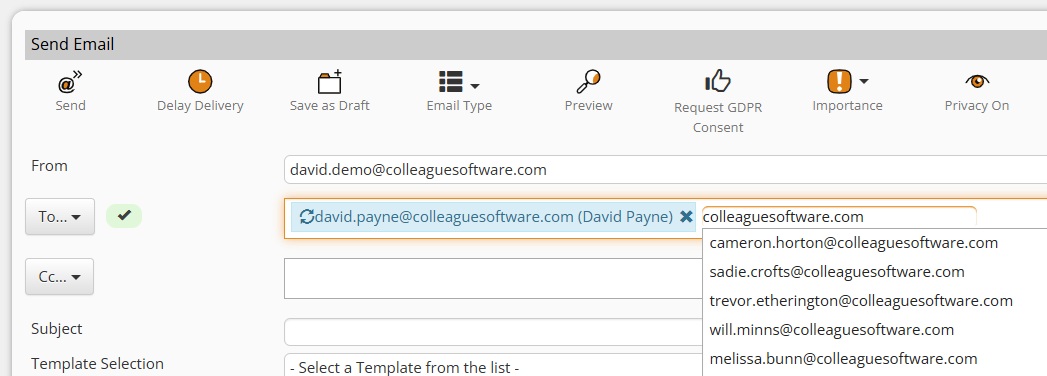  Bug Fixes Bug FixesCV Parser for Parent Skill Mandatory field setting
When setting a Parent Skill as mandatory, to enforce that a skill be selected from within the parent folder, there was an error being generated when using the CV Parser. This has now been resolved. Skill Count Mandatory Field check on CV Parser and Manual Creation form
When using the 'Skill Count' mandatory field option, on both the CV Parser and manual creation forms, there was a conflict which caused an error. This has now been resolved. Applicant Source dropdown scrollbar
Though specifically raised against the Applicant Source field, this was a CSS update to ensure freetext/lookup fields, such as Applicant Source and Rate Description fields have a horizontal scrollbar. Fix for User Email Signature issue
When editing a User's email signature via User Settings, rather than via the Admin > Users area, it was overwriting the email signature in a manner that conflicted with the merge field conversion. This has now been resolved to work the same in both areas. Summary tab fix (all entities)
Issues relating to the loading of Summary tabs against all entity records have been resolved. Last Document Date not including Unindexed Documents
The 'Last Document Date' referenced against the Candidate Summary tab was previously only checking indexed documents and not including 'Unindexed'. This has now been resolved. Merge Field Failure Issues when you change Fonts on Email Templates
An update has been applied to CK Editor to handle the scenario of font changes on email templates when a merge field has only been partially highlighted. Previously this would break the merge field, but it will now only update the font of a merge field if it has been highlighted in its entirety. WhatEx Icon update
An update has been made to the coding behind the WhatEx integration, so that the 'WhatsApp' icon does not duplicate on the entity record. Copy Requirement - Active User Flag & Make Ownership list alphabetical
When copying a Requirement, using the 'Copy Requirement' feature, the list of Users for Ownership selection has now been updated to only contain 'Active' Users. It will also list these Users in alphabetical order. Error Adding Document Type
When in Admin > Lookups and adding a Document Type lookup code, an error message would occur which has now been resolved. Edit Document from Email Form error
When editing an attachment via the Email form, there were scenarios where this would fail on certain document formats. This has now been resolved. Lists - Select All Tickbox
There was a delay introduced in the previous release when using the 'Select All' option, which has now been resolved. No Value Current Job Title Search Error
When on the Search, ticking 'No Value' on the 'Current Job Title' field would return an error message. This also occurred when selecting 'No Value' on other alphanumeric fields. This has now been resolved. Consultant Activity Report - Performance Improvement
The Consultant Activity Report has been updated so that rather than loading all the data in one hit when loading the report, it will now load the high level data first. Then when clicking on any of the numbers to drilldown on the data, it will run a sub report to pull the specific information. We have found that this approach improves the report's performance. |