
Release Notes - 24.12.02 (November & December 24)Development delivered under sprints 24.11.01, 24.11.02, 24.12.01 & 24.12.02.
Key features: Bulk Update Fields from a Search Result, Outlook Add-in Enhancements, Website Plugin Improvements, Performance Improvements, plus minor UI updates and more. Upgrade date: 12/01/25 
Click the link above to watch the 'What's New?' webinar covering the features of this release in greater detail.  Enhancements EnhancementsSEARCH RESULTS - Bulk Update Fields from a Search Result
It is now possible to update a select list of fields on Candidates, Companies, Contacts and Requirements in bulk from a Search Result. This is enabled via Admin > User Group Permissions within the 'Search' Permission Group: 
The below fields can be updated:
When on a Search Result, select the records you wish to update and either right click, or select the 'Selected Records' menu. Choose 'Update Fields' and a bar will appear listing the fields you can update: 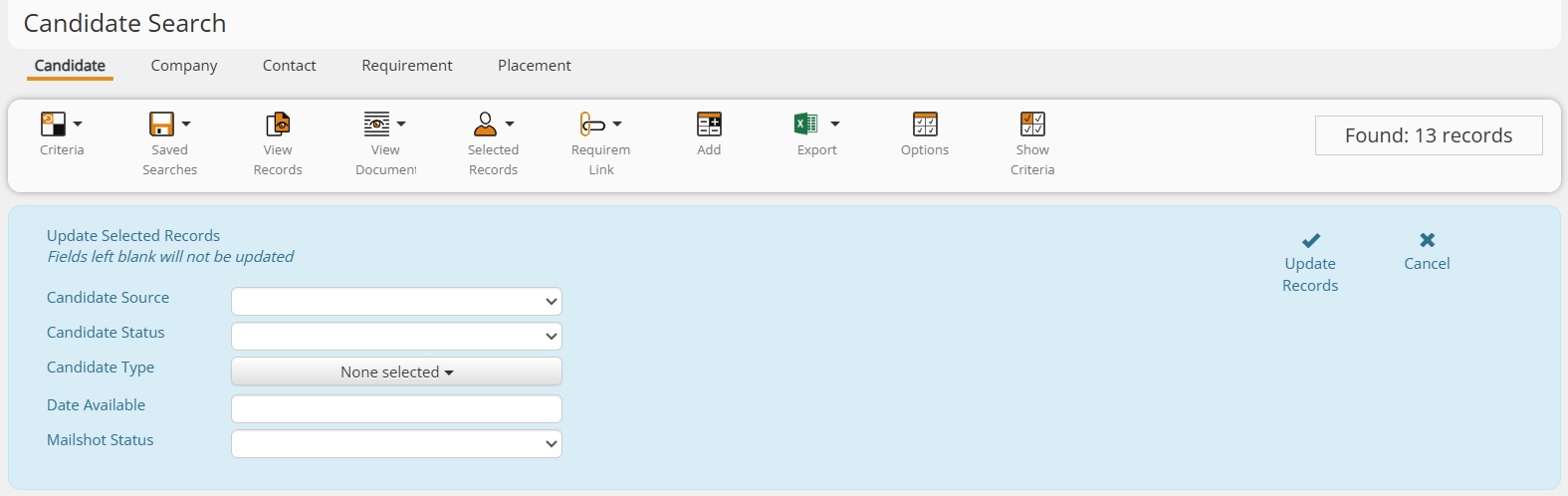
Any fields left blank will not be updated. Please advise the Support Team if there are other fields that you would like added to this feature. HOMEPAGE - Daily Planner - Updated UI
The Daily Planner has been updated to ensure the User and Date Range filters are inline with the User Overview. 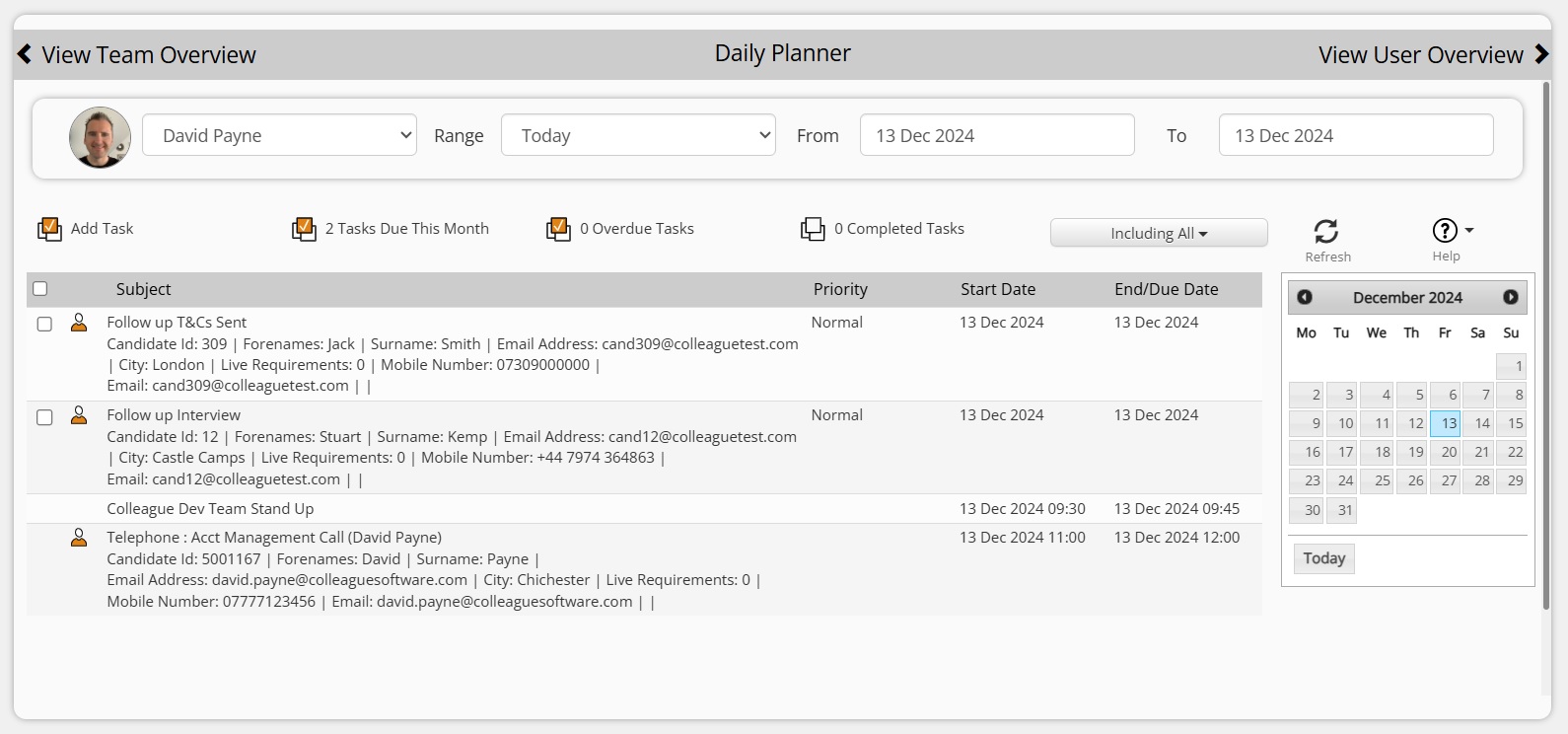
This also enables the below additional features:
PERFORMANCE - Enhanced Process for Loading Records
This release includes a revised technique for calling entity data which has reduced database traffic, when loading a record, by 40%. In addition, a new settings management approach is in place to avoid unnecessary repetition of database calls. We will continue to work on performance as an ongoing project. We appreciate your feedback. OUTLOOK ADD-IN - Enhancements to Colleague's Outlook Add-in
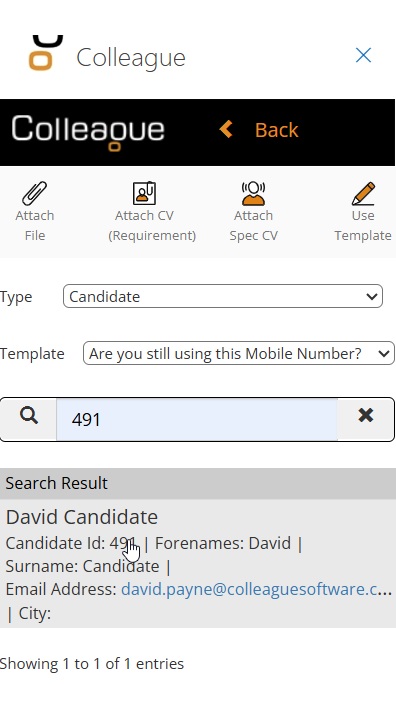
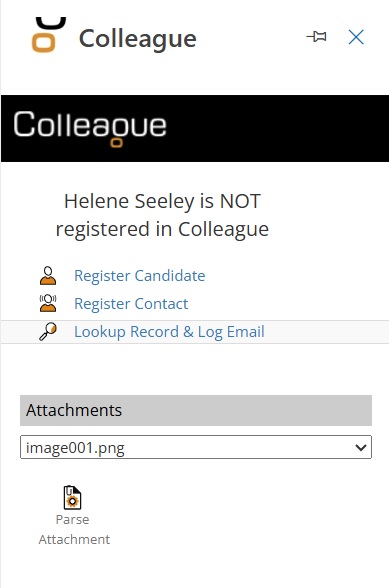
The Colleague Outlook Add-in has been updated with several features and UI changes.
  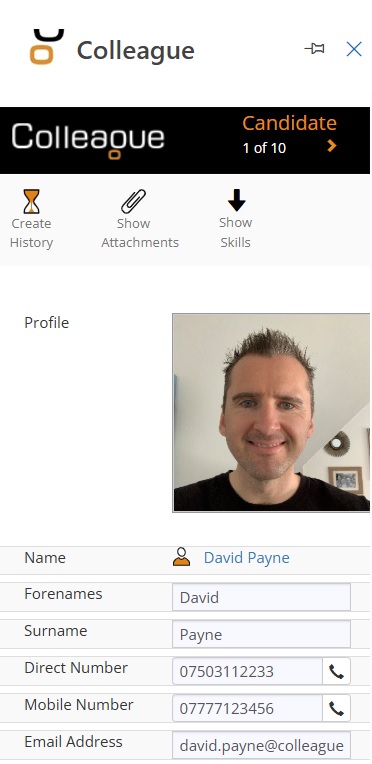 REPORTS - Consultant Activity Report Updates
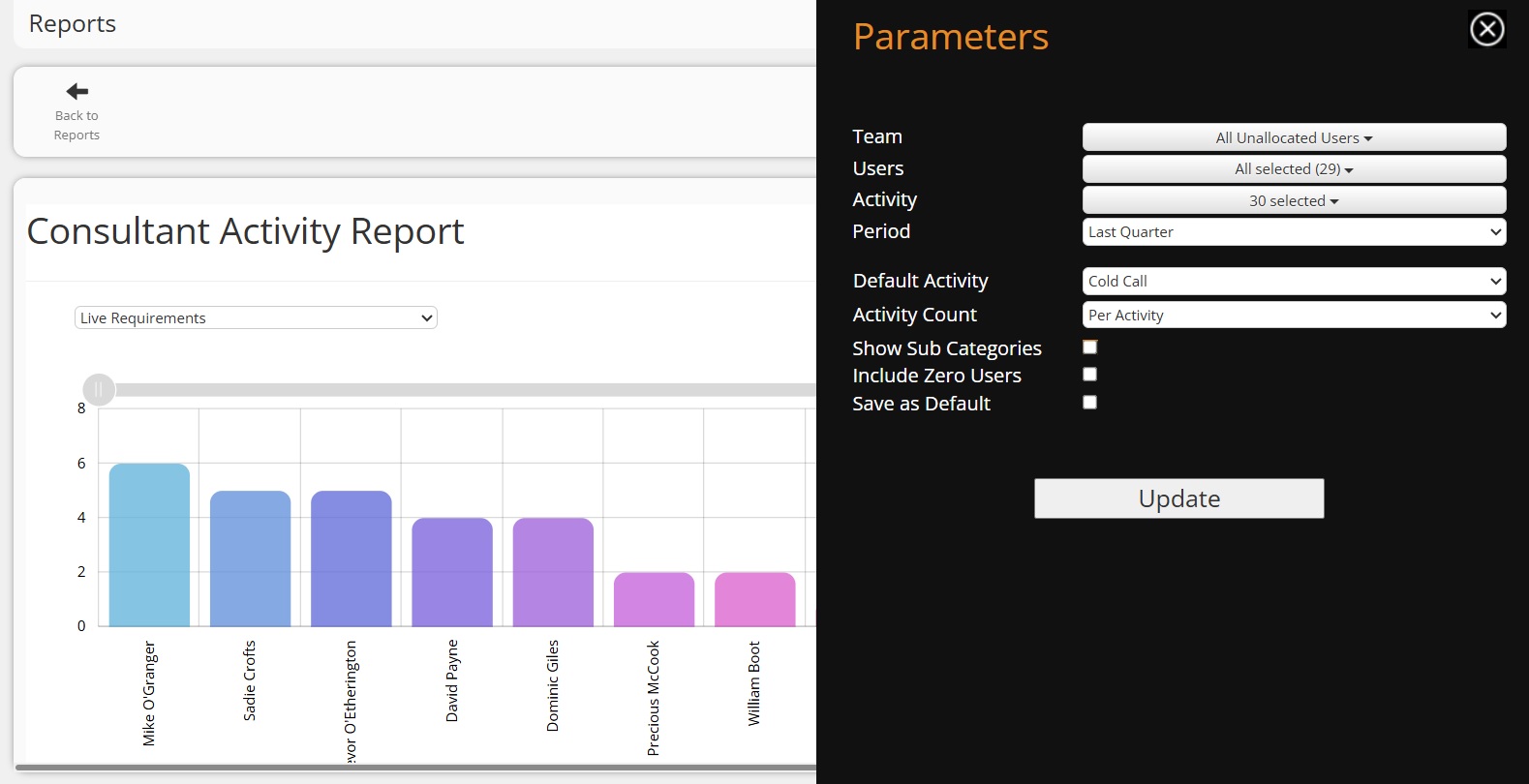
The Consultant Activity Report has been enhanced with several different parameters to help provide Users with the detail they require.
WEBSITE - Colleague Website Plugin Enhanced
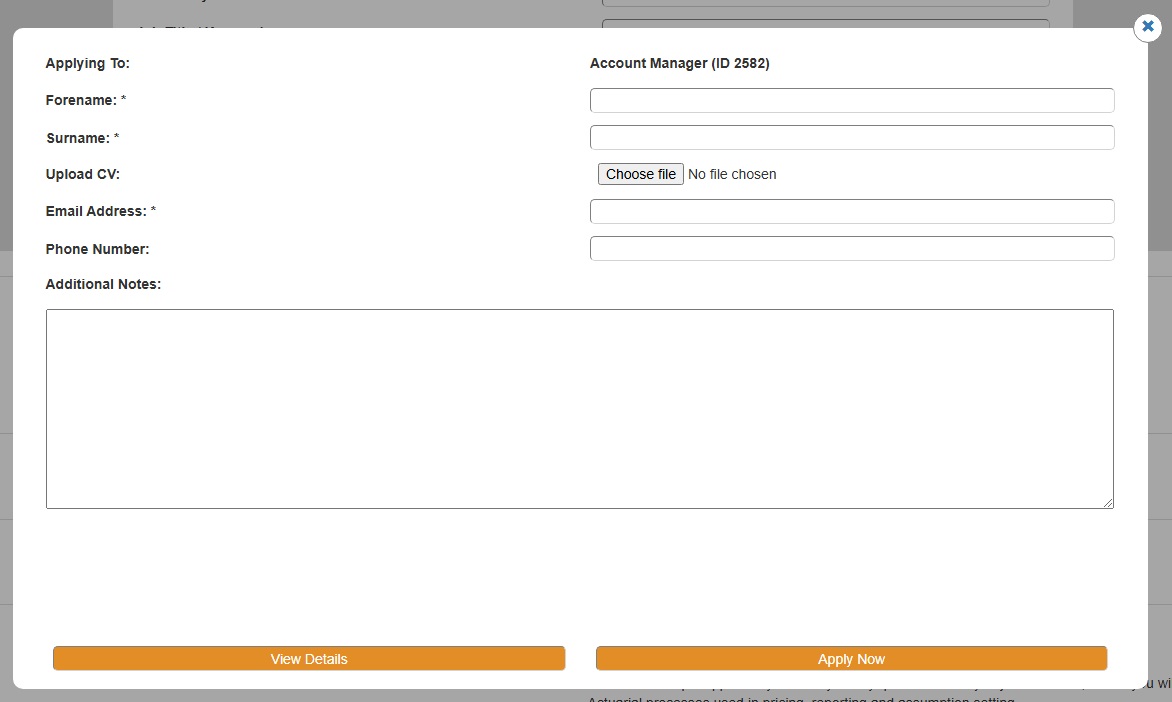
Colleague's standard Website Plugin has been enhanced to offer two key pieces of functionality:
API - New API Flag Setting to bypass 'Optional' Mandatory Fields
As part of a recent API update, there is now an optional parameter to bypass Mandatory Fields when creating a Candidate, Company and Contact record. This update also included a new parameter on the 'Lookups' GET method to check the 'Allow Selection' Yes/No flag. This ensures only valid history codes can be listed when creating a history via a third party integration. REQUIREMENTS - Ability to Change Naming Convention of Requirement Type
Colleague has four Requirement Types:
However, clients have requested that the naming convention of these types be configurable, as they may wish to refer to Contract as 'Interim' for example, or Rolling Contract to 'Temporary'. This is now possible with Admin > Lookups > Requirement Terms. N.B You can not add or delete any Requirement Types, this is purely the means to edit the naming convention of the existing Requirement Types.  Minor UI Tweaks Minor UI TweaksREQUIREMENT - Plus Sign Added Next to Offer Date When Offer Is Rejected
Previously when rejecting an Offer, on the Requirement, it would empty the 'Offer Date' from the Offer column of the Candidate, so that the User could click on the 'arrow' to create a new Offer. It will now continue to show the rejected Offer Date and provide a 'plus' sign icon to create a new Offer: 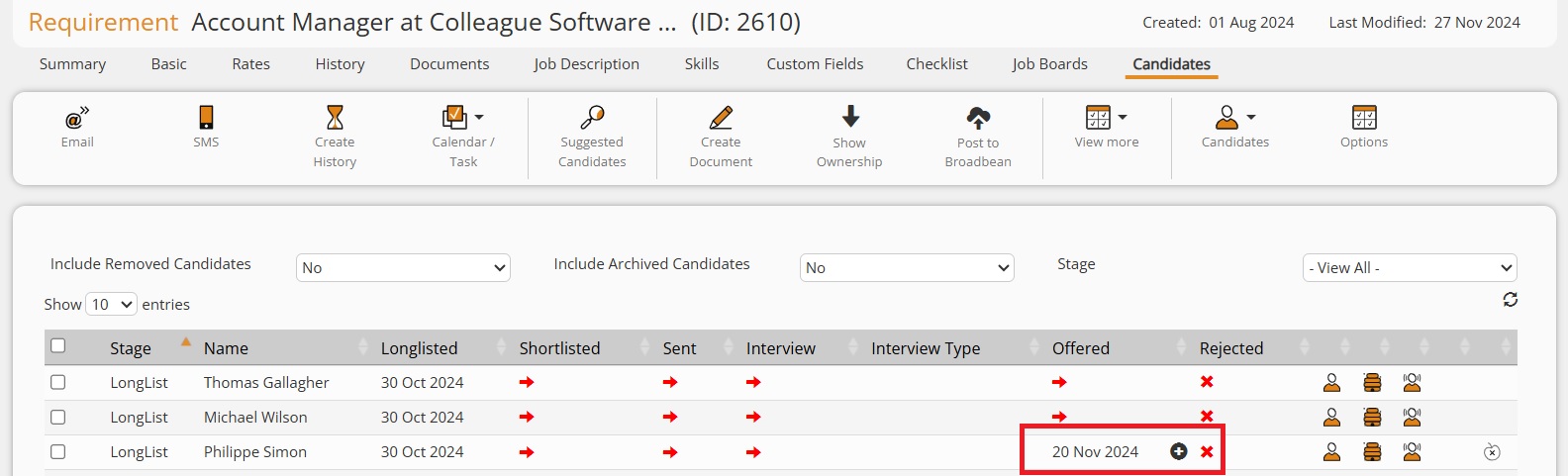
FONTS - 'Aptos' Font Added to Text Editor
Microsoft's new default font 'Aptos' has been added to the Text Editor: 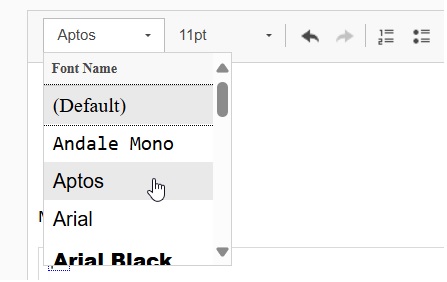
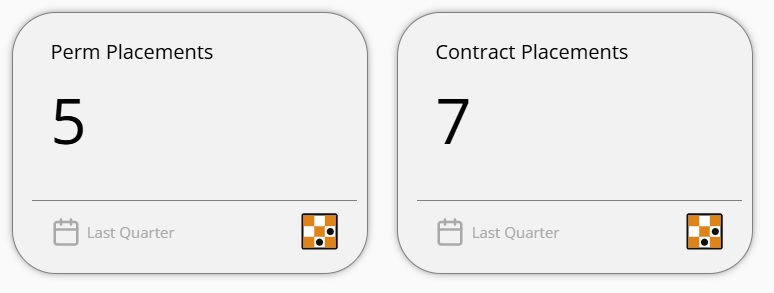
PANELS - New Contract/Perm Placements User/Team Overview Panels
Two additional User/Team Overview panels have been added to the standard set:
CONTACTS - 'Mark As Leaver' Updated so Tickboxes are in Two Columns
The 'Mark As Leaver' workflow has been updated with a cleaner UI: 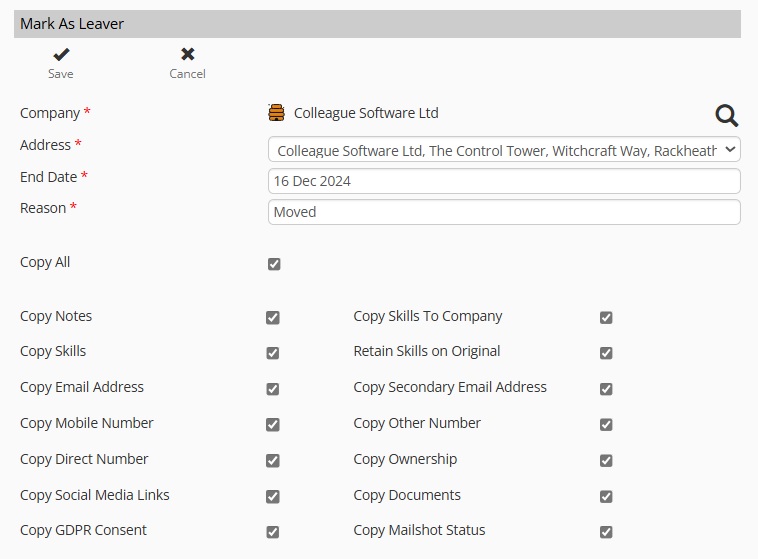
SELECTION SCREENS - Select All/Page option added to Selection Screens
The Selection Screens for all the main entity records have been updated with a 'Select All' option, including the 'Page/All' option: 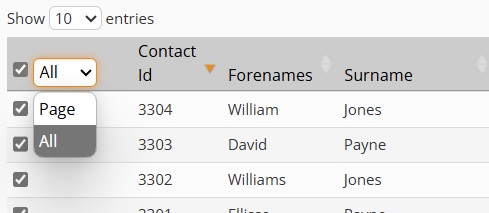
CAMPAIGNS - Ability to Export Campaign Stats Table
There is now the ability to export the Campaign statistics tables, based on a User Group Permission: 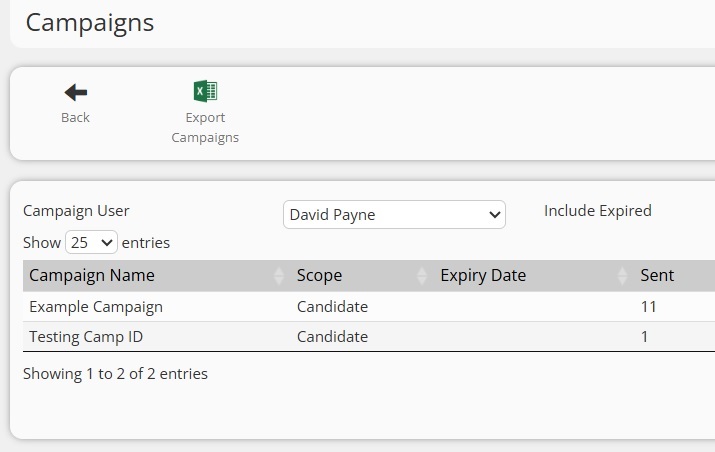
REQUIREMENTS - Refresh button added on Job Boards table
When on a Requirement, there is now an option to refresh the Job Boards table without needing to refresh the Requirement: 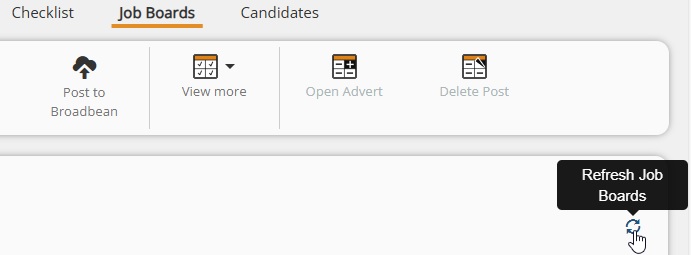
REQUIREMENT - Ability to edit the Completion Date of Retainer
Retainers have been updated so that you can now edit the 'Completion Date' of a Retainer. 
REQUIREMENT - Ability to Set Dates when Running Offer Accept/Reject Workflow
It will now be possible to set the 'Date Rejected' date when rejecting an Offer (this defaults at today's date). You will also be able to edit the Offer Accepted date on the Placement. 
EMAIL - User Setting for 'Ctrl + Enter' Send option on Email form
Similar to Outlook, when on the Email form in Colleague, if you press 'Ctrl + Enter' together it will trigger the 'Send' of the email. This has now been made a User Setting, in case Users do not want this to happen. This is available within the 'System' section of User Settings: Enable Pressing Ctrl + Enter to Send an Email Form - Yes/No  Bug Fixes Bug FixesIssue Copying Images into Text Editor (Email Form)
An issue with how images are coded when being copied into the Text Editor has been resolved. Company Contacts Loading Issue
When loading the Company Contacts table, there were scenarios where Contacts would fail to load if the Contacts Search bar was enabled. This has now been resolved. Account for SMS Fail/Success Text on SMS Histories when calculating SMS Quota
The SMS Quota count, which is performed when loading the SMS form (based on SMS histories), has now been updated to account for the success and/or failure updates that are appended to an SMS history log. This ensures the SMS quota count is accurate. Can Not Delete Custom Field Group
An issue which prevented the ability to delete a Custom Field Group (within Admin > Custom Fields) has now been resolved. Company/Contacts Fixes with Apollo
Issues with how Social Media Links and Company Telephone Numbers are populated via an Apollo update have been resolved. Tax Calculation When Using 'Enter Tax' Setting on Timesheets
When adding a Timesheet to a Contract Placement, and using the 'Enter Tax' option to manually enter the Tax value, a calculation error has been corrected. Export Lists into Excel Issue
Previously, when converting lists to a table and choosing to export Lists into CSV, it was limited to the records on the page. It will now export all records. 'View Location' Issue with Addresses
There were scenarios where the 'View Location' option on Address records (against Candidates, Companies and Contacts) would fail to load the address in Google Maps. This has now been resolved. Runners Report > Multi-Selection Company Selection Issue
The Company multi-selection dropdown field was not setup correctly to 'Select All' Companies when pressing 'All Companies' or to deselect all Companies when unticking the tickbox. This has now been resolved. Notes Box to Detect Changes
Enhancements have been made to the CK Editor in Colleague, to ensure that updates are not lost if the User does not click away from the Notes box. |